> ## Documentation Index
> Fetch the complete documentation index at: https://help.decodo.com/llms.txt
> Use this file to discover all available pages before exploring further.
# Auto Top-Up
> Auto Top-Up Feature with Proxy Subscriptions
The auto top-up enables you to **automatically** add your **selected traffic** amount after reaching **90%** of your subscription's traffic. This feature is available for the following proxy types:
* Residential Proxy`*`
* Mobile Proxy`*`
* ISP Pay/GB
* Datacenter Pay/GB
*`*` For non-Pay-As-You-Go proxy plans.*
The auto top-up traffic price per GB is the same as manually topped-up extra traffic. You will be charged by the same payment method you’ve purchased on your subscription.
The auto top-up feature will be **disabled** if you turn it off, cancel your subscription, or in case of the unsuccessful payment.
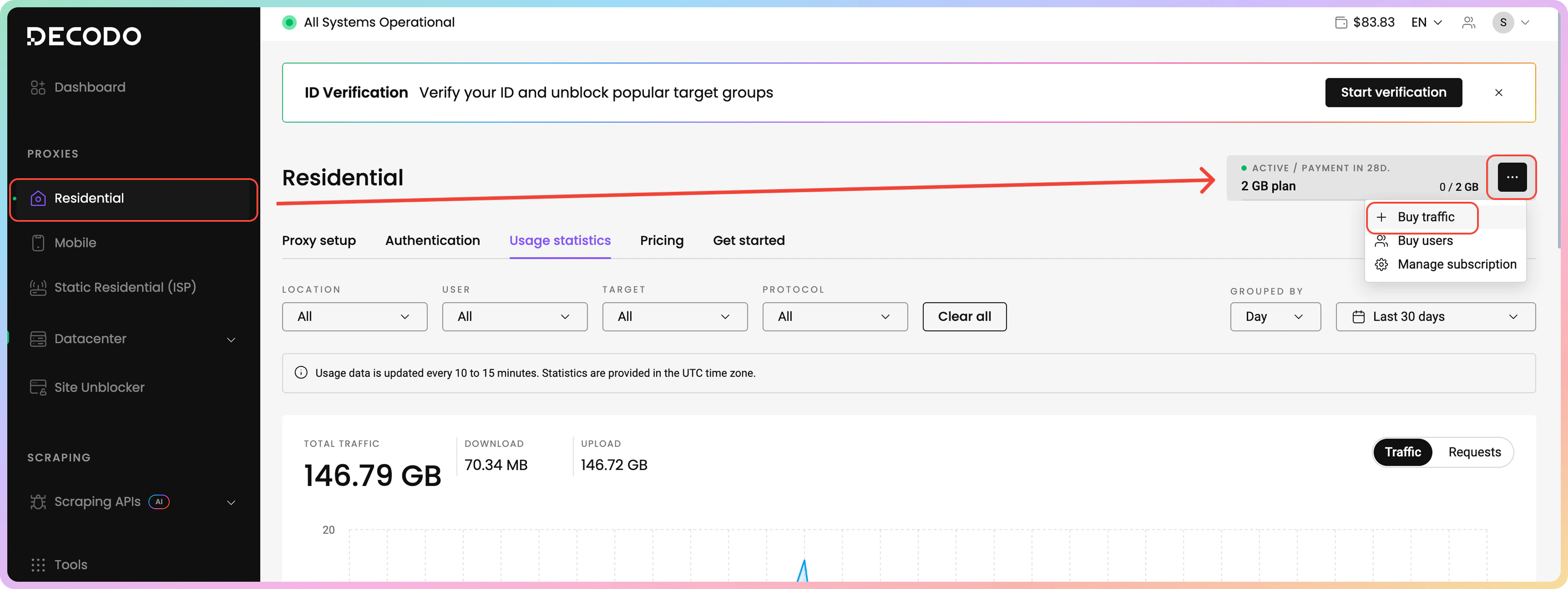
To **activate** the auto top-up feature, navigate to your active subscription plan via the dashboard's left panel. Then, on the top right of the dashboard, you will see a traffic pill. Click on the three dots and in the dropdown menu, select **Buy traffic**.
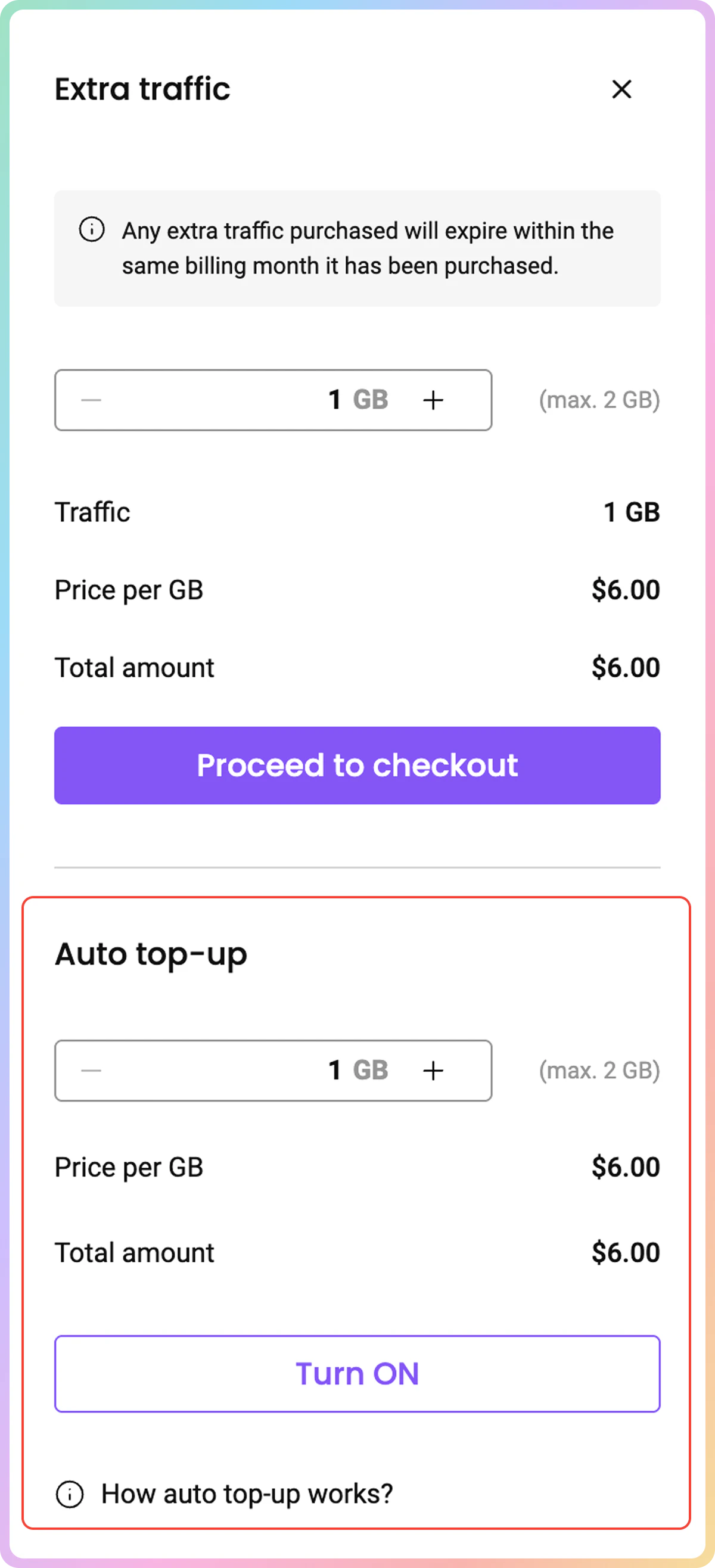
 In the opened panel, **below** the manual extra traffic purchase option, input your preferred traffic number that would be added to your subscription once you reach 90% of your current traffic limit, and click **Turn ON**.
The maximum amount of traffic you can input in the auto top-up field is equivalent to your subscription's traffic limits.
In the opened panel, **below** the manual extra traffic purchase option, input your preferred traffic number that would be added to your subscription once you reach 90% of your current traffic limit, and click **Turn ON**.
The maximum amount of traffic you can input in the auto top-up field is equivalent to your subscription's traffic limits.
 Make sure to **refresh** the dashboard after turning on the auto top-up feature to see the correct limits you set in the auto top-up panel.
The traffic purchased via the auto top-up feature does **not** carry over into the next billing cycle.
***
Need help or just want to say hello? Our support is available 24/7. \
You can also reach us anytime via email at [support@decodo.com](mailto:support@decodo.com).
Can't find what you're looking for? Request an article! \
Have feedback? Share your thoughts on how we can improve.
Make sure to **refresh** the dashboard after turning on the auto top-up feature to see the correct limits you set in the auto top-up panel.
The traffic purchased via the auto top-up feature does **not** carry over into the next billing cycle.
***
Need help or just want to say hello? Our support is available 24/7. \
You can also reach us anytime via email at [support@decodo.com](mailto:support@decodo.com).
Can't find what you're looking for? Request an article! \
Have feedback? Share your thoughts on how we can improve.