> ## Documentation Index
> Fetch the complete documentation index at: https://help.decodo.com/llms.txt
> Use this file to discover all available pages before exploring further.
# Scrapy 代理中间件设置指南
打开**终端**窗口。
使用 `cd yourprojectname` 命令导航到项目文件夹的主目录。
使用以下命令下载我们的代理中间件:
```shellscript cURL theme={null}
curl https://raw.githubusercontent.com/decodo/Scrapy-Middleware/master/decodo_auth.py > decodo_auth.py
```
现在您应该看到项目文件夹中包含 **decodo\_auth.py** 文件。
使用文件管理器导航到项目文件夹,您应该会看到 **settings.py** 文件。
使用您选择的编辑器编辑 **settings.py** 文件。
在底部添加以下属性:
```text Properties theme={null}
DOWNLOADER_MIDDLEWARES = {
'scrapy.downloadermiddlewares.httpproxy.HttpProxyMiddleware': 110,
'yourprojectname.decodo_auth.ProxyMiddleware': 100,
}
DECODO_USER = 'username' ## Decodo 用户名(子用户)
DECODO_PASSWORD = 'password' ## 您的用户密码
DECODO_ENDPOINT = 'gate.decodo.com' ## 您想使用的端点
DECODO_PORT = '7000' ## 您正在使用的端点的端口。
```
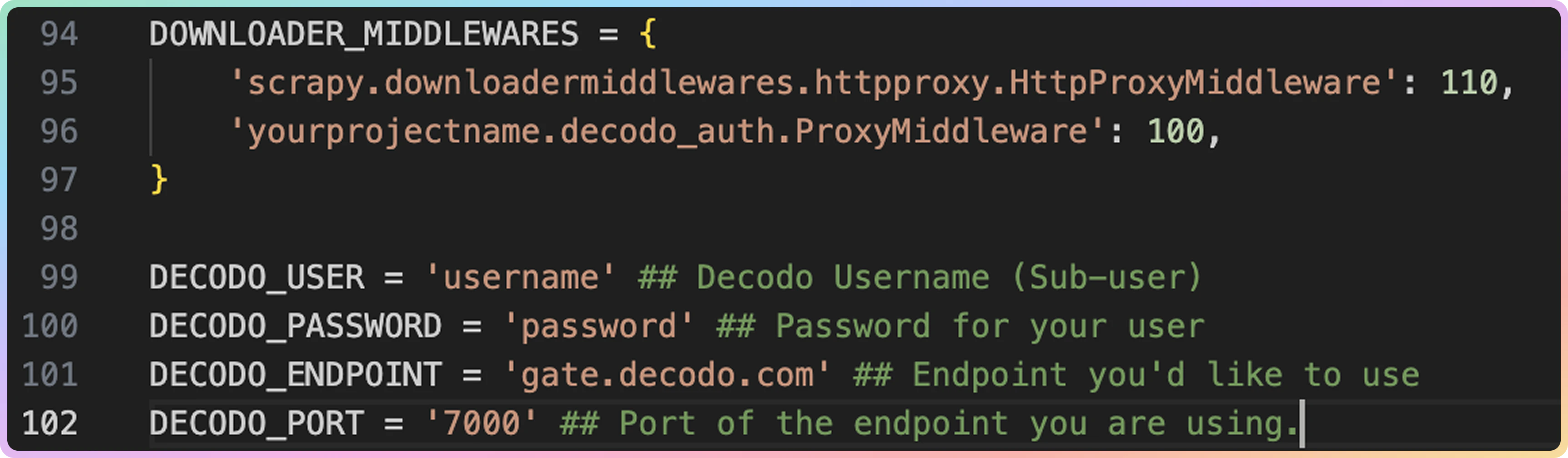 在 **DOWNLOADER\_MIDDLEWARES** 部分,将 `yourprojectname` 行更改为您的项目名称。
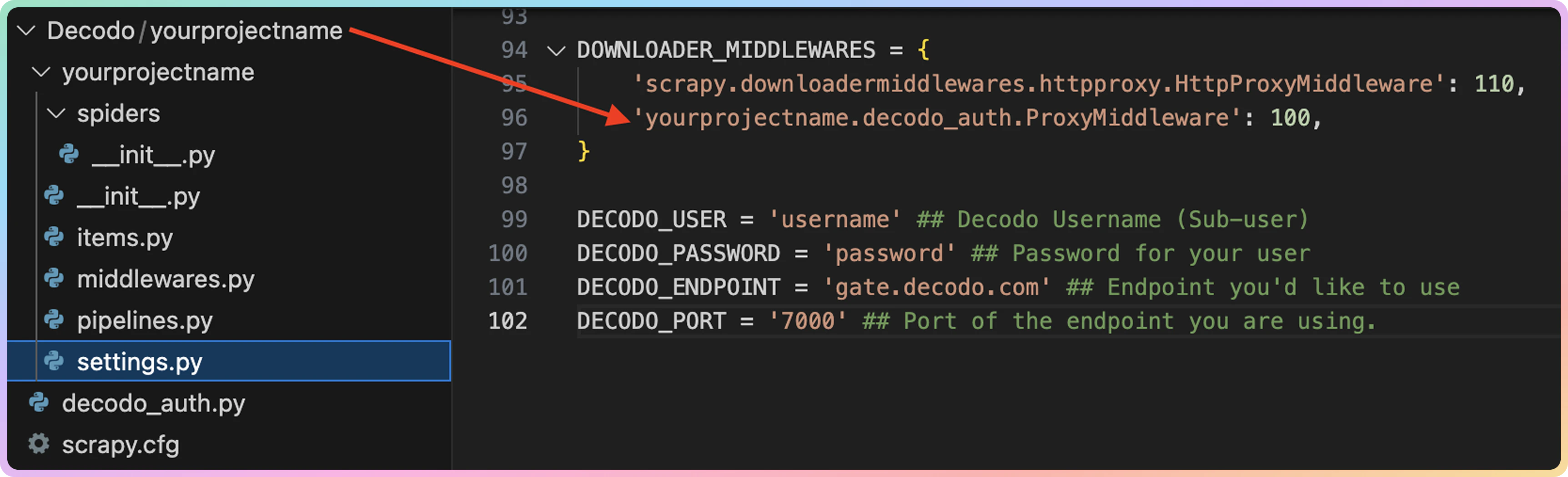 确保在引号 **' '** 内输入您的账户详细信息以及代理详细信息。
最后,**保存**文件。
要查找有关设置的更多信息,请务必访问我们的 [**Github 页面**](https://github.com/decodo/Scrapy-Middleware)。如果您希望在请求中直接使用 Decodo,请参阅[**此文章**](https://github.com/decodo/Scrapy)。
***
需要帮助或只是想打个招呼?我们的支持团队全天候为您服务。 \
您也可以随时通过电子邮件 [support@decodo.com](mailto:support@decodo.com) 联系我们。
找不到您要找的内容?请求一篇文章! \
有反馈意见?分享您对我们如何改进的想法。
确保在引号 **' '** 内输入您的账户详细信息以及代理详细信息。
最后,**保存**文件。
要查找有关设置的更多信息,请务必访问我们的 [**Github 页面**](https://github.com/decodo/Scrapy-Middleware)。如果您希望在请求中直接使用 Decodo,请参阅[**此文章**](https://github.com/decodo/Scrapy)。
***
需要帮助或只是想打个招呼?我们的支持团队全天候为您服务。 \
您也可以随时通过电子邮件 [support@decodo.com](mailto:support@decodo.com) 联系我们。
找不到您要找的内容?请求一篇文章! \
有反馈意见?分享您对我们如何改进的想法。