> ## Documentation Index
> Fetch the complete documentation index at: https://help.decodo.com/llms.txt
> Use this file to discover all available pages before exploring further.
# Proxy Checker
> Learn how to use Decodo's Proxy Checker to test proxy connections and identify potential issues
**Proxy Checker** lets you test proxies before using them in production. You can check individual proxies or lists of up to 10,000 at once.
## Where to find it
Download **Proxy Checker** for Windows or macOS from the [Decodo website](https://decodo.com/apps/proxy-checker) and install it on your computer. Once installed, open the **Proxy Checker** application.
## How to run a check
1. Select **HTTP** or **HTTPS** and enter the target website you want to test.
2. Set a **Timeout** to define how long Proxy Checker should wait for a response.
3. Click **Import proxy list**.
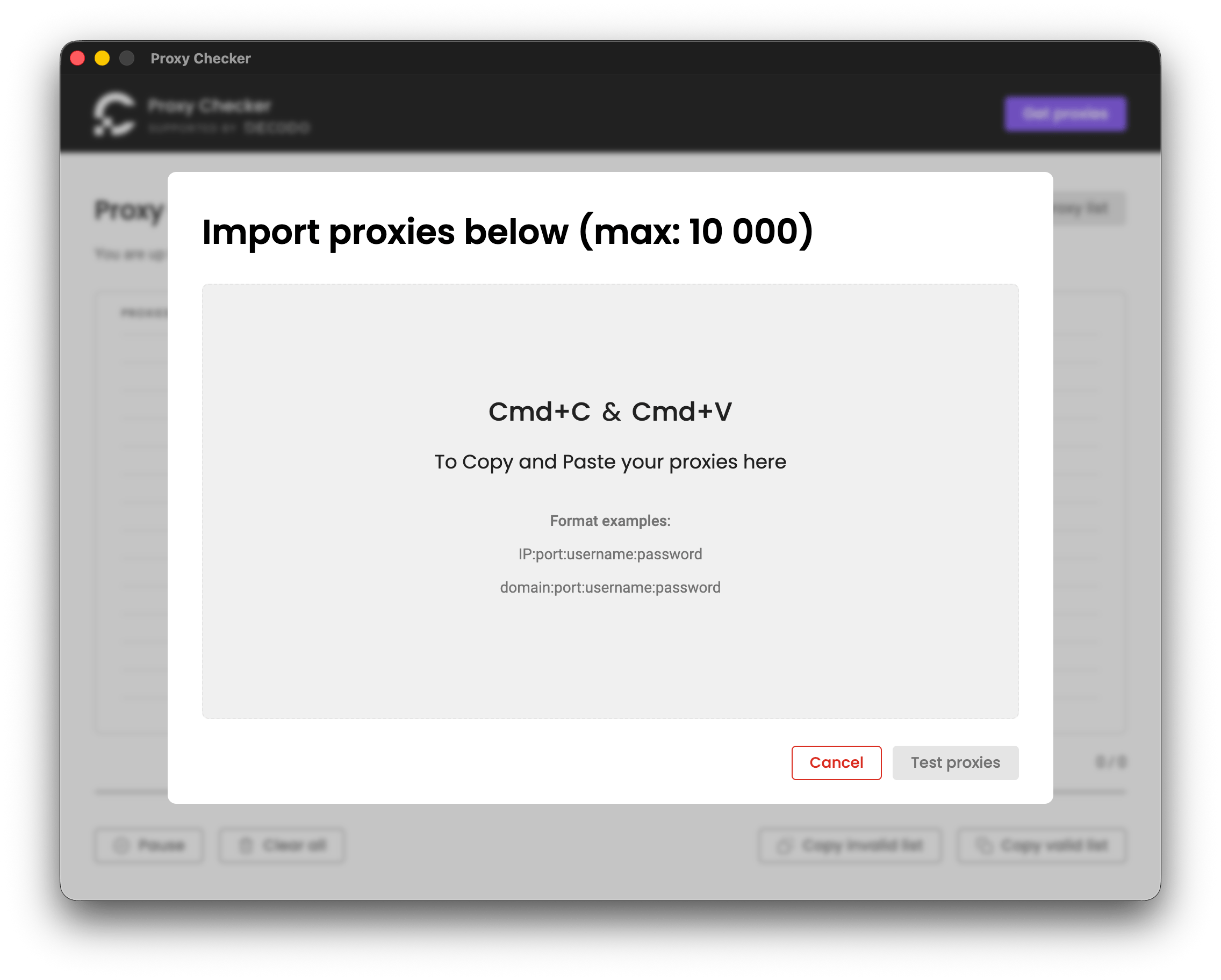
4. Paste your proxies in `IP:port:username:password` or `domain:port:username:password` format. You can import up to 10,000 proxies at once.
5. Click **Test proxies** to start the check.
 ## Reading the results
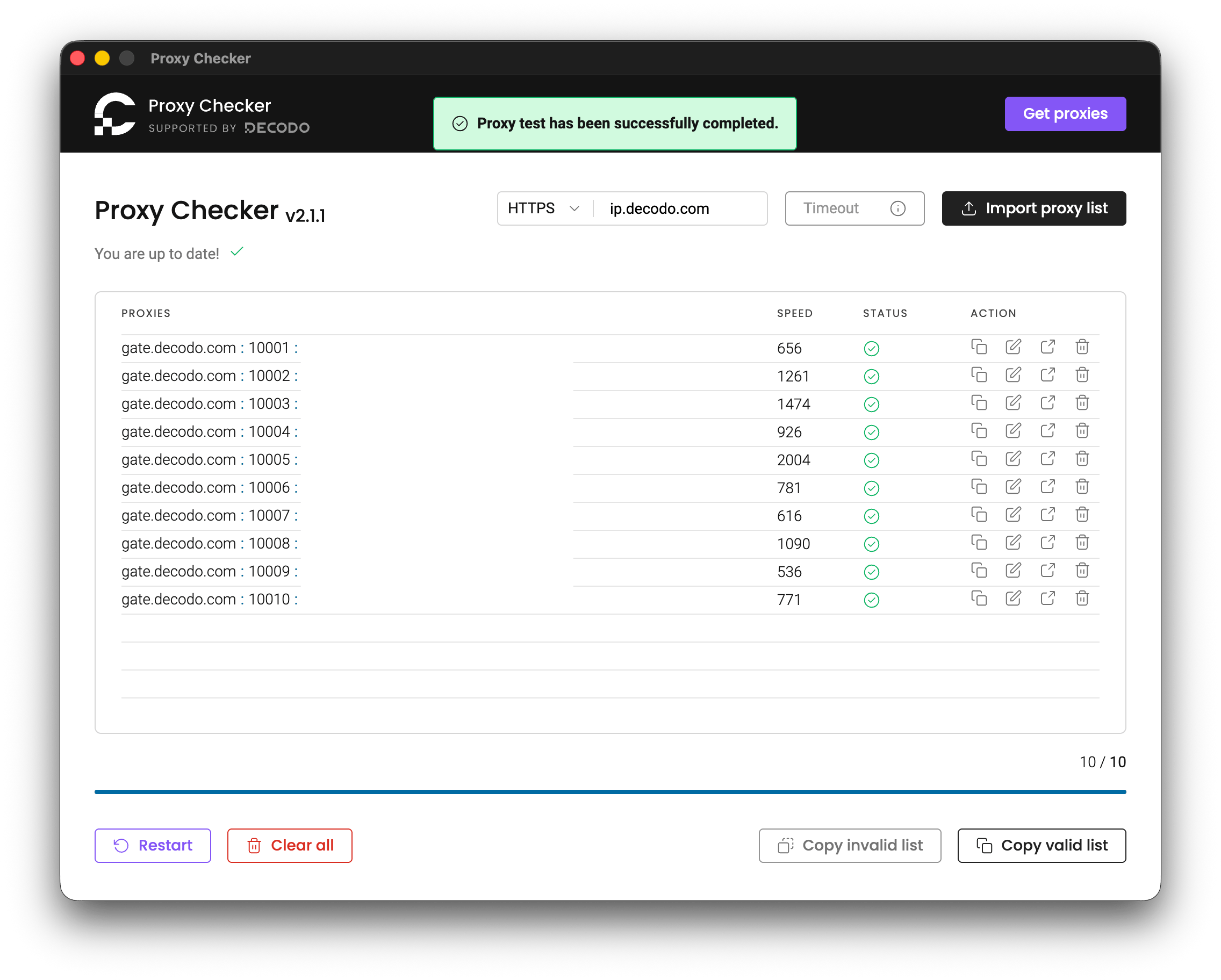
Proxy Checker displays each proxy's **Speed** and **Status** after the test. A successful check is marked with a green checkmark, while a failed check is marked with a red **X** and the returned error code.
Use **Copy valid list** or **Copy invalid list** to copy the corresponding proxies to your clipboard. You can also use the actions next to each proxy to copy or edit its details, open the target website through the proxy, or remove it from the list.
## Reading the results
Proxy Checker displays each proxy's **Speed** and **Status** after the test. A successful check is marked with a green checkmark, while a failed check is marked with a red **X** and the returned error code.
Use **Copy valid list** or **Copy invalid list** to copy the corresponding proxies to your clipboard. You can also use the actions next to each proxy to copy or edit its details, open the target website through the proxy, or remove it from the list.
 ***
## Related
* **[Decodo Chrome Extension](/docs/decodo-chrome-extension)** – Set up and manage proxies directly in Google Chrome.
* [**Decodo Firefox Extension**](/docs/decodo-firefox-extension) – Set up and manage proxies directly in Mozilla Firefox.
***
Need help or just want to say hello? Our support is available 24/7. \
You can also reach us anytime via email at [support@decodo.com](mailto:support@decodo.com).
Can't find what you're looking for? Request an article! \
Have feedback? Share your thoughts on how we can improve.
***
## Related
* **[Decodo Chrome Extension](/docs/decodo-chrome-extension)** – Set up and manage proxies directly in Google Chrome.
* [**Decodo Firefox Extension**](/docs/decodo-firefox-extension) – Set up and manage proxies directly in Mozilla Firefox.
***
Need help or just want to say hello? Our support is available 24/7. \
You can also reach us anytime via email at [support@decodo.com](mailto:support@decodo.com).
Can't find what you're looking for? Request an article! \
Have feedback? Share your thoughts on how we can improve.