> ## Documentation Index
> Fetch the complete documentation index at: https://help.decodo.com/llms.txt
> Use this file to discover all available pages before exploring further.
# Pay As You Go
> Residential and Mobile Proxy Pay As You Go Option
## Activation
**Pay As You Go** is available with our [**Residential**](https://dashboard.decodo.com/residential-proxies/pricing) and [**Mobile**](https://dashboard.decodo.com/mobile-proxies/pricing) proxy plans. To activate it, go to the **Residential Proxies tab** and select either the Residential or the Mobile proxies. Continue to the **Pricing** page and select **Pay As You Go** in the **Plans** section.
**Pay As You Go** can only be purchased using funds in your **Wallet**.
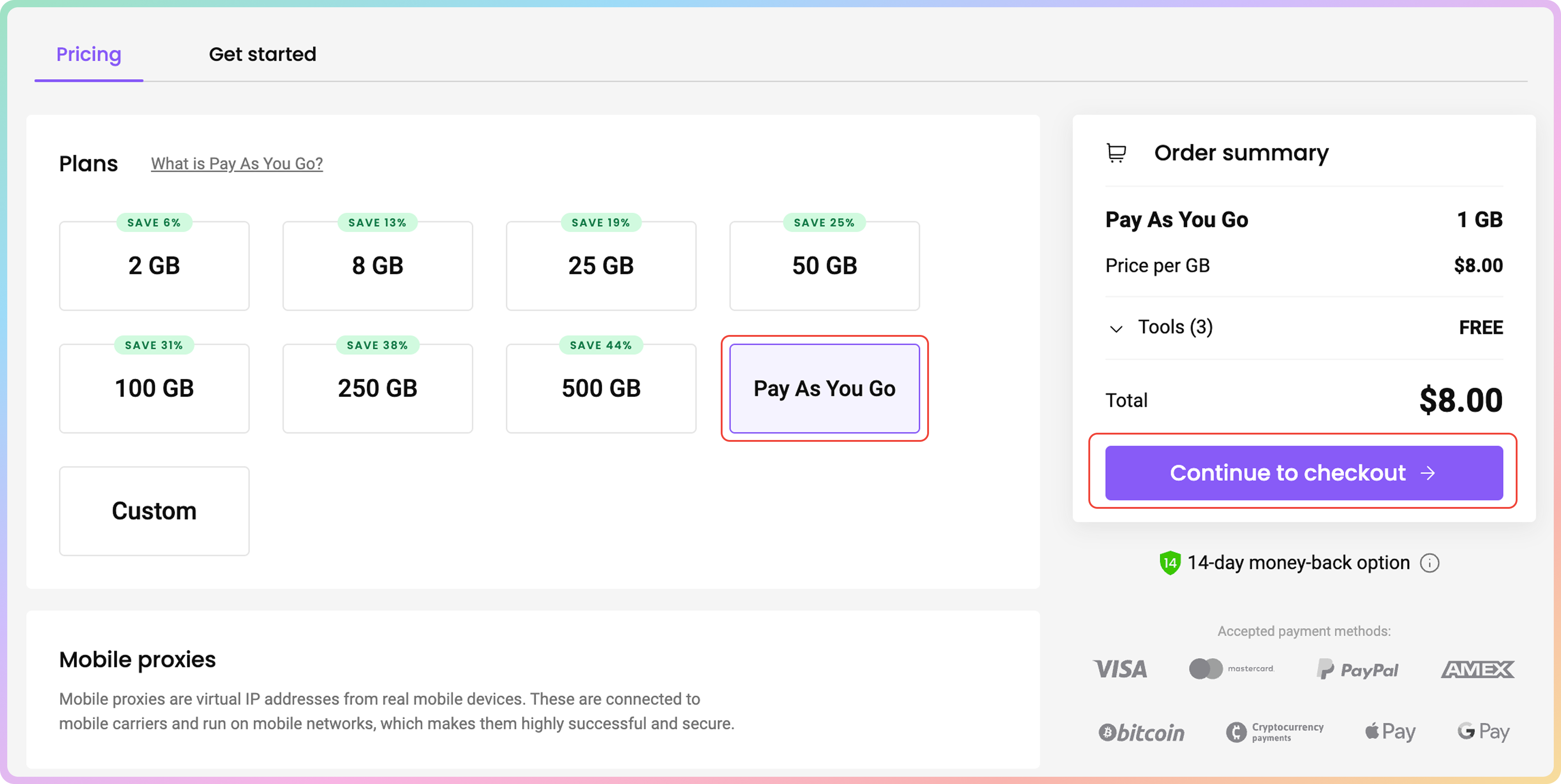 After turning **Pay As You Go** on, you'll automatically purchase traffic in 1 GB increments once you reach 90% of your traffic limit (as long as you have funds in your **Wallet**).
## Deactivation
To turn Pay As You Go off, **click on the slider in the top right corner**. A "Pay As You Go has been successfully turned off" message will pop up as confirmation that the feature is turned off, and you will no longer be automatically charged. To turn auto-renewal on, click on the slider button once again.
After turning **Pay As You Go** on, you'll automatically purchase traffic in 1 GB increments once you reach 90% of your traffic limit (as long as you have funds in your **Wallet**).
## Deactivation
To turn Pay As You Go off, **click on the slider in the top right corner**. A "Pay As You Go has been successfully turned off" message will pop up as confirmation that the feature is turned off, and you will no longer be automatically charged. To turn auto-renewal on, click on the slider button once again.
 From this point on, the traffic you purchased will be available for you to use for 12 months **or until you purchase a regular residential proxy subscription**.
## I Want to Use Pay As You Go but Still Have a Residential Proxy Plan
Please be aware that the **Pay As You Go** option cannot be activated with an active monthly subscription.
First, make sure you don't have any unused traffic on your current plan, as any unused traffic will be lost after the plan expires.
To expire your plan, simply contact our customer support via [**LiveChat**](https://direct.lc.chat/12092754/1) for an instant reply. Alternatively, you can email **[support@decodo.com](mailto:support@decodo.com)**. We will get back to you within an hour. Feel free to use this phrase to explain the situation: `I'd like to expire my current Residential proxy plan to use Pay As You Go`.
***
Need help or just want to say hello? Our support is available 24/7. \
You can also reach us anytime via email at [support@decodo.com](mailto:support@decodo.com).
Can't find what you're looking for? Request an article! \
Have feedback? Share your thoughts on how we can improve.
From this point on, the traffic you purchased will be available for you to use for 12 months **or until you purchase a regular residential proxy subscription**.
## I Want to Use Pay As You Go but Still Have a Residential Proxy Plan
Please be aware that the **Pay As You Go** option cannot be activated with an active monthly subscription.
First, make sure you don't have any unused traffic on your current plan, as any unused traffic will be lost after the plan expires.
To expire your plan, simply contact our customer support via [**LiveChat**](https://direct.lc.chat/12092754/1) for an instant reply. Alternatively, you can email **[support@decodo.com](mailto:support@decodo.com)**. We will get back to you within an hour. Feel free to use this phrase to explain the situation: `I'd like to expire my current Residential proxy plan to use Pay As You Go`.
***
Need help or just want to say hello? Our support is available 24/7. \
You can also reach us anytime via email at [support@decodo.com](mailto:support@decodo.com).
Can't find what you're looking for? Request an article! \
Have feedback? Share your thoughts on how we can improve.