> ## Documentation Index
> Fetch the complete documentation index at: https://help.decodo.com/llms.txt
> Use this file to discover all available pages before exploring further.
# Quick Start
> Set up Decodo Site Unblocker - a proxy solution with automatic anti-bot handling. Covers endpoint config, geo-targeting, JS rendering, and sessions.
Decodo **Site Unblocker** is a proxy-like solution that allows users to extract valuable web data from the most challenging targets without building a web scraper or using a headless browser.
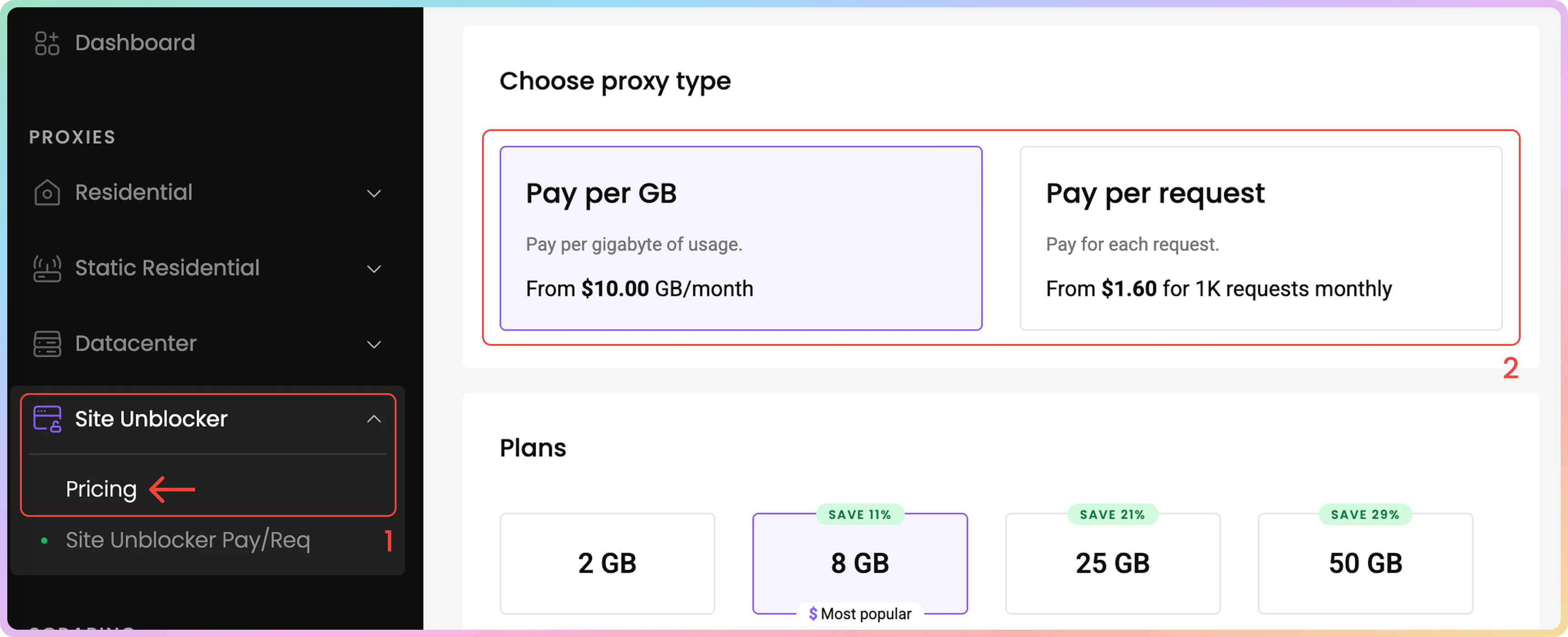
To start using Site Unblocker, go to the Decodo Dashboard and select **Site Unblocker**. You can choose between **Pay per GB** and **Pay per Request** plans. The setup is the same for both subscriptions.
 ***
* The Site Unblocker solution uses the following **endpoint** for requests:
```text theme={null}
unblock.decodo.com:60000
```
* Here are some **examples**:
```shellscript cURL theme={null}
curl -k -v -x unblock.decodo.com:60000 \
-U "USERNAME:PASSWORD" "https://ip.decodo.com/"
```
```python Python theme={null}
import requests
proxies = {
'http': 'http://USERNAME:PASSWORD@unblock.decodo.com:60000',
}
response = requests.request(
'GET',
'https://ip.decodo.com/',
verify=False,
proxies=proxies,
)
print(response.text)
```
```javascript Node theme={null}
import fetch from 'node-fetch';
import createHttpsProxyAgent from 'https-proxy-agent'
const username = 'USERNAME';
const password = 'PASSWORD';
const agent = createHttpsProxyAgent(
`http://${username}:${password}@unblock.decodo.com:60000`
);
process.env['NODE_TLS_REJECT_UNAUTHORIZED'] = 0;
const response = await fetch('https://ip.decodo.com/', {
method: 'get',
agent: agent,
});
console.log(await response.text());
```
In order to use Site Unblocker via `cURL`: `-k` or the equivalent `--insecure` flag is required. Note that you can still target websites that use `HTTPS`.
## Authentication
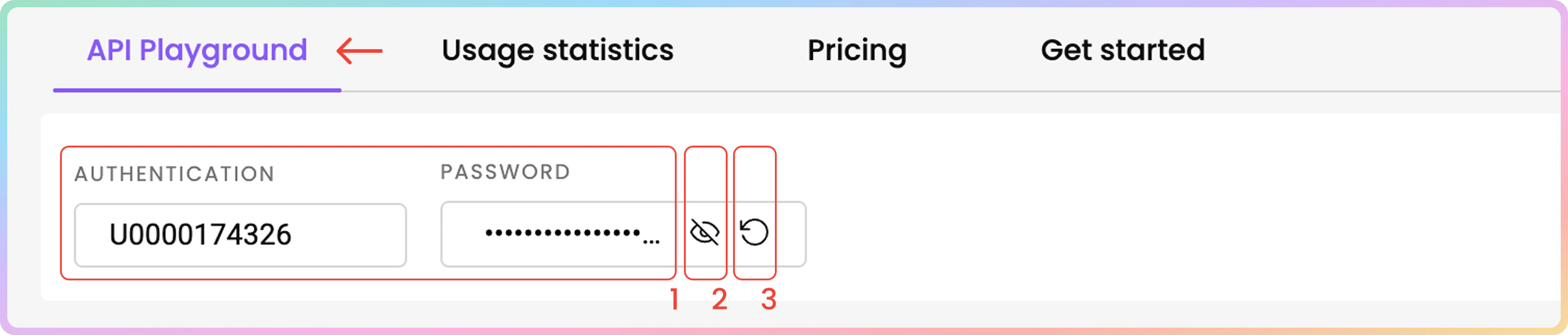
Once you have an active **Site Unblocker** subscription, you will be able to view your automatically generated proxy **Username** and **Password** at the top of the **API Playground tab**.
1. You may **copy** your username or password by clicking on it
2. To see the password click the **eye** icon.
3. You can generate a new password by clicking on the arrow icon and choosing **Confirm**.
***
* The Site Unblocker solution uses the following **endpoint** for requests:
```text theme={null}
unblock.decodo.com:60000
```
* Here are some **examples**:
```shellscript cURL theme={null}
curl -k -v -x unblock.decodo.com:60000 \
-U "USERNAME:PASSWORD" "https://ip.decodo.com/"
```
```python Python theme={null}
import requests
proxies = {
'http': 'http://USERNAME:PASSWORD@unblock.decodo.com:60000',
}
response = requests.request(
'GET',
'https://ip.decodo.com/',
verify=False,
proxies=proxies,
)
print(response.text)
```
```javascript Node theme={null}
import fetch from 'node-fetch';
import createHttpsProxyAgent from 'https-proxy-agent'
const username = 'USERNAME';
const password = 'PASSWORD';
const agent = createHttpsProxyAgent(
`http://${username}:${password}@unblock.decodo.com:60000`
);
process.env['NODE_TLS_REJECT_UNAUTHORIZED'] = 0;
const response = await fetch('https://ip.decodo.com/', {
method: 'get',
agent: agent,
});
console.log(await response.text());
```
In order to use Site Unblocker via `cURL`: `-k` or the equivalent `--insecure` flag is required. Note that you can still target websites that use `HTTPS`.
## Authentication
Once you have an active **Site Unblocker** subscription, you will be able to view your automatically generated proxy **Username** and **Password** at the top of the **API Playground tab**.
1. You may **copy** your username or password by clicking on it
2. To see the password click the **eye** icon.
3. You can generate a new password by clicking on the arrow icon and choosing **Confirm**.
 ## API Playground
Here, you can try sending a request to your chosen target right from your dashboard:
### URL
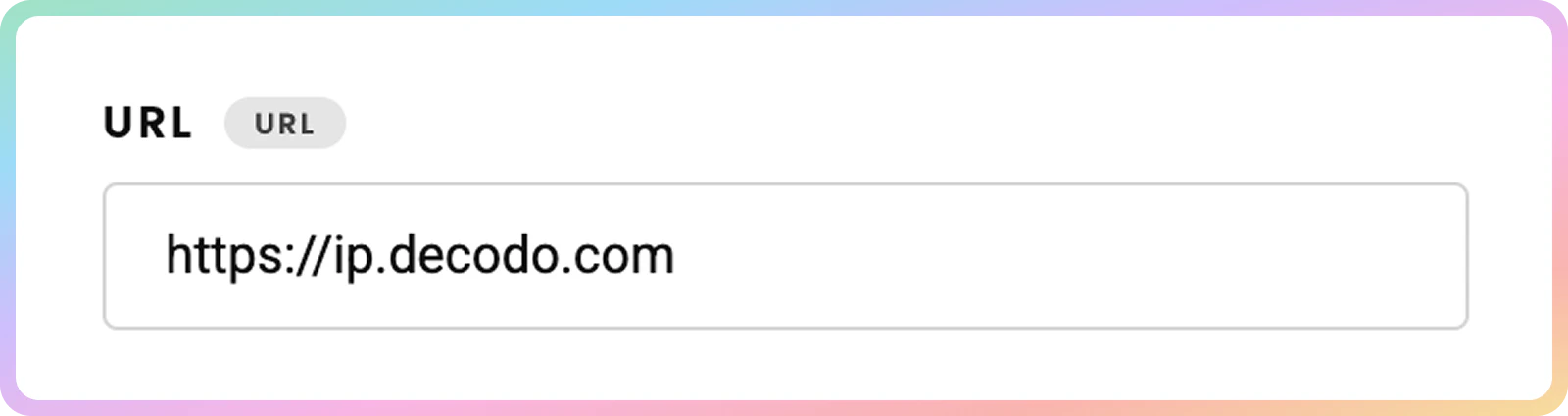
1. First, enter the **URL** of the site you wish to target.
## API Playground
Here, you can try sending a request to your chosen target right from your dashboard:
### URL
1. First, enter the **URL** of the site you wish to target.
 ### `JavaScript` Rendering
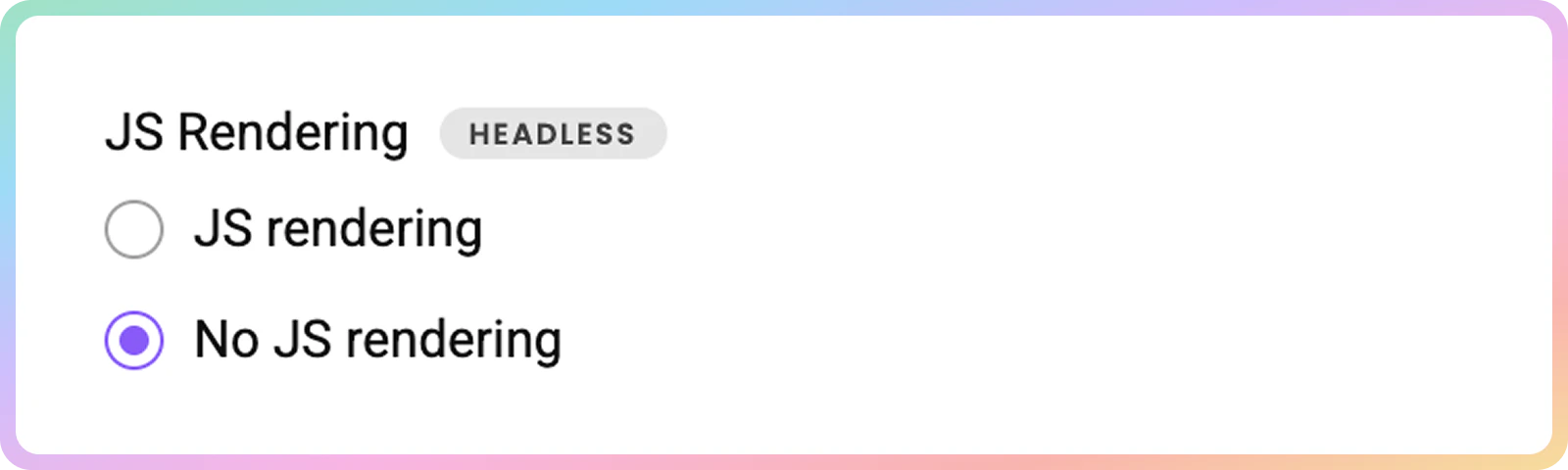
2. Then, choose to enable or disable **`JavaScript`** rendering.
* Enabled **JS rendering** allows you to target dynamic pages without using a headless browser.
* Learn more [**here**](https://help.decodo.com/docs/site-unblocker-javascript-rendering/).
### `JavaScript` Rendering
2. Then, choose to enable or disable **`JavaScript`** rendering.
* Enabled **JS rendering** allows you to target dynamic pages without using a headless browser.
* Learn more [**here**](https://help.decodo.com/docs/site-unblocker-javascript-rendering/).
 * You can send the request right away by clicking **Send Request** or specify the parameters further:
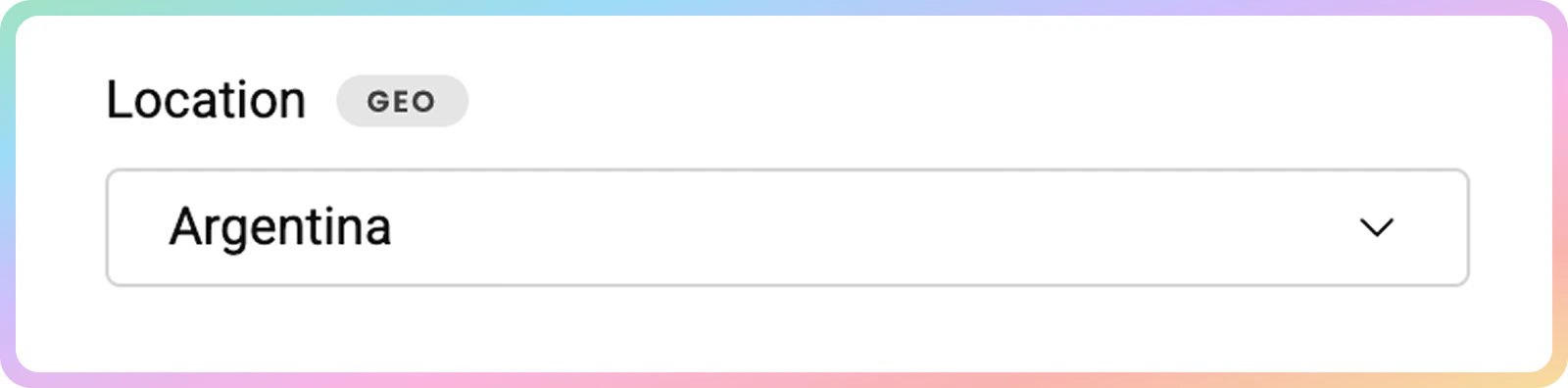
### Location
3. Choose the **location** from which you'd like to access the website.
* Depending on your desired location, Site Unblocker will add proxies from the Decodo IP pool.
* Learn more about **`geo`** parameters [**here**](https://help.decodo.com/docs/site-unblocker-geo-location/).
* You can send the request right away by clicking **Send Request** or specify the parameters further:
### Location
3. Choose the **location** from which you'd like to access the website.
* Depending on your desired location, Site Unblocker will add proxies from the Decodo IP pool.
* Learn more about **`geo`** parameters [**here**](https://help.decodo.com/docs/site-unblocker-geo-location/).
 ### Language
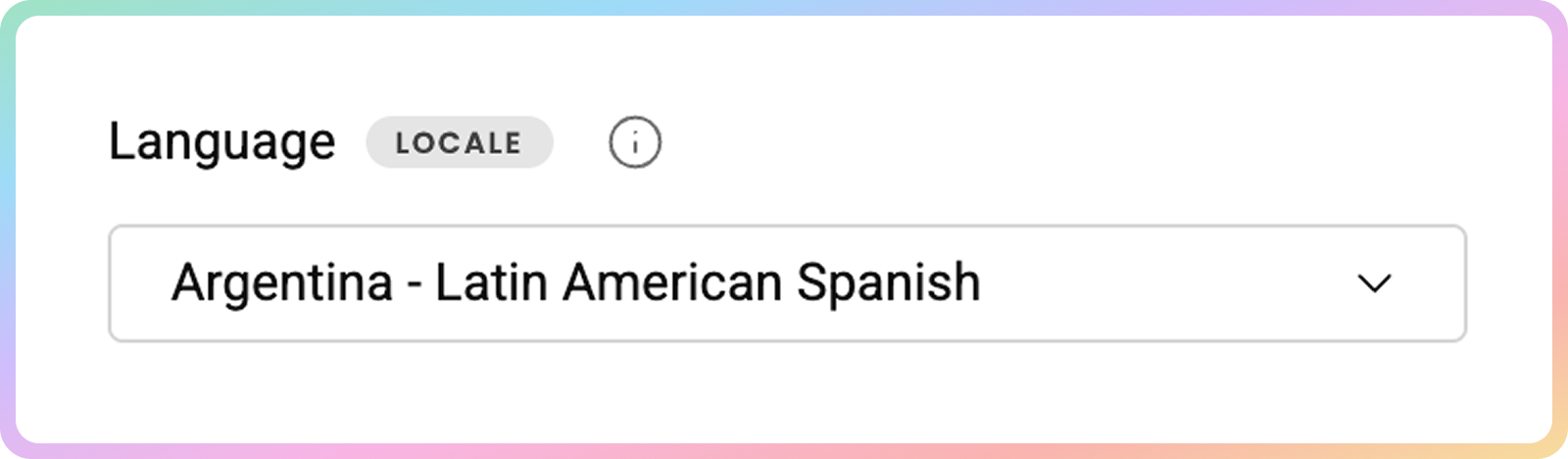
4. Specify the **Locale**.
* The **`locale`** parameter allows you to simulate requests from a specific geographic location or language.
* This changes the web page interface language, not the language of the results.
* Learn more [**here**](https://help.decodo.com/docs/site-unblocker-locale/).
### Language
4. Specify the **Locale**.
* The **`locale`** parameter allows you to simulate requests from a specific geographic location or language.
* This changes the web page interface language, not the language of the results.
* Learn more [**here**](https://help.decodo.com/docs/site-unblocker-locale/).
 ### Headers
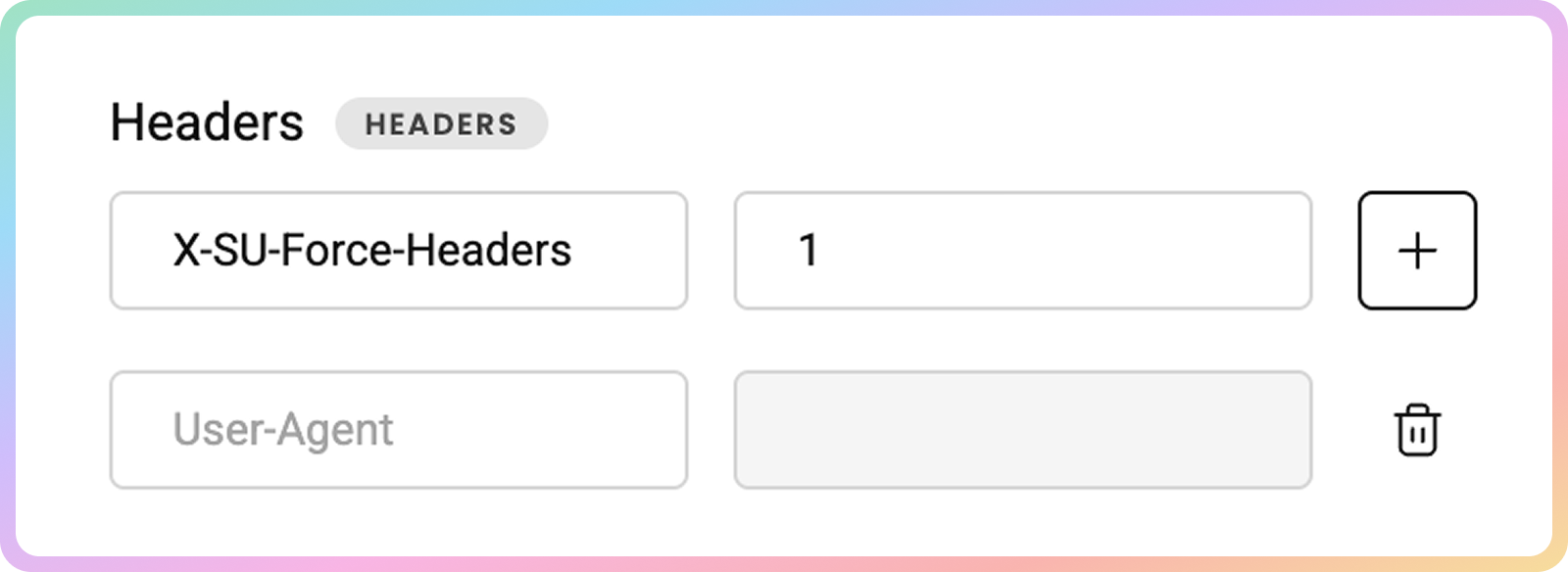
5. Specify the **header** along with their **values**.
* Some headers are pre-set by default in order to increase the success rate. Enable the option below to force your own headers, however, note that the success rate may drop. Failed requests with forced headers are always charged, even if scraping fails.
* Learn more about headers [**here**](https://help.decodo.com/docs/site-unblocker-headers/).
### Headers
5. Specify the **header** along with their **values**.
* Some headers are pre-set by default in order to increase the success rate. Enable the option below to force your own headers, however, note that the success rate may drop. Failed requests with forced headers are always charged, even if scraping fails.
* Learn more about headers [**here**](https://help.decodo.com/docs/site-unblocker-headers/).
 ### Session
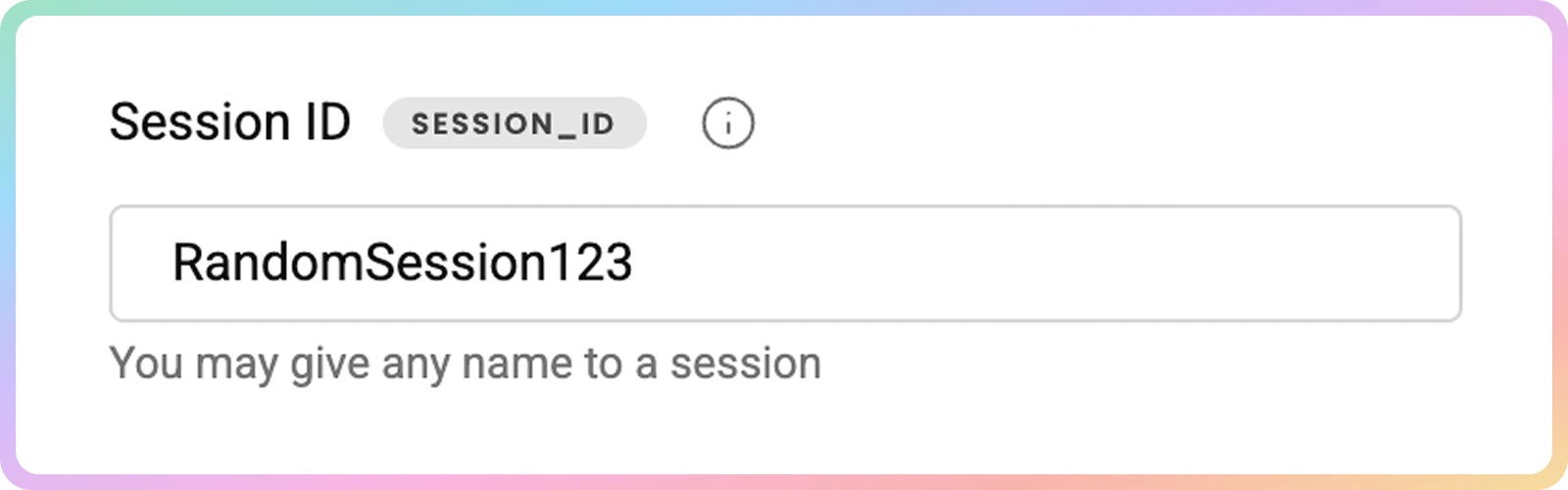
6. If you want to, name your **session**.
* The **`session_id`** parameter allows you to use the same proxy connection for yo to **10 minutes** for multiple requests.
* Learn more [**here**](https://help.decodo.com/docs/site-unblocker-session/).
### Session
6. If you want to, name your **session**.
* The **`session_id`** parameter allows you to use the same proxy connection for yo to **10 minutes** for multiple requests.
* Learn more [**here**](https://help.decodo.com/docs/site-unblocker-session/).
 ### HTTP Method
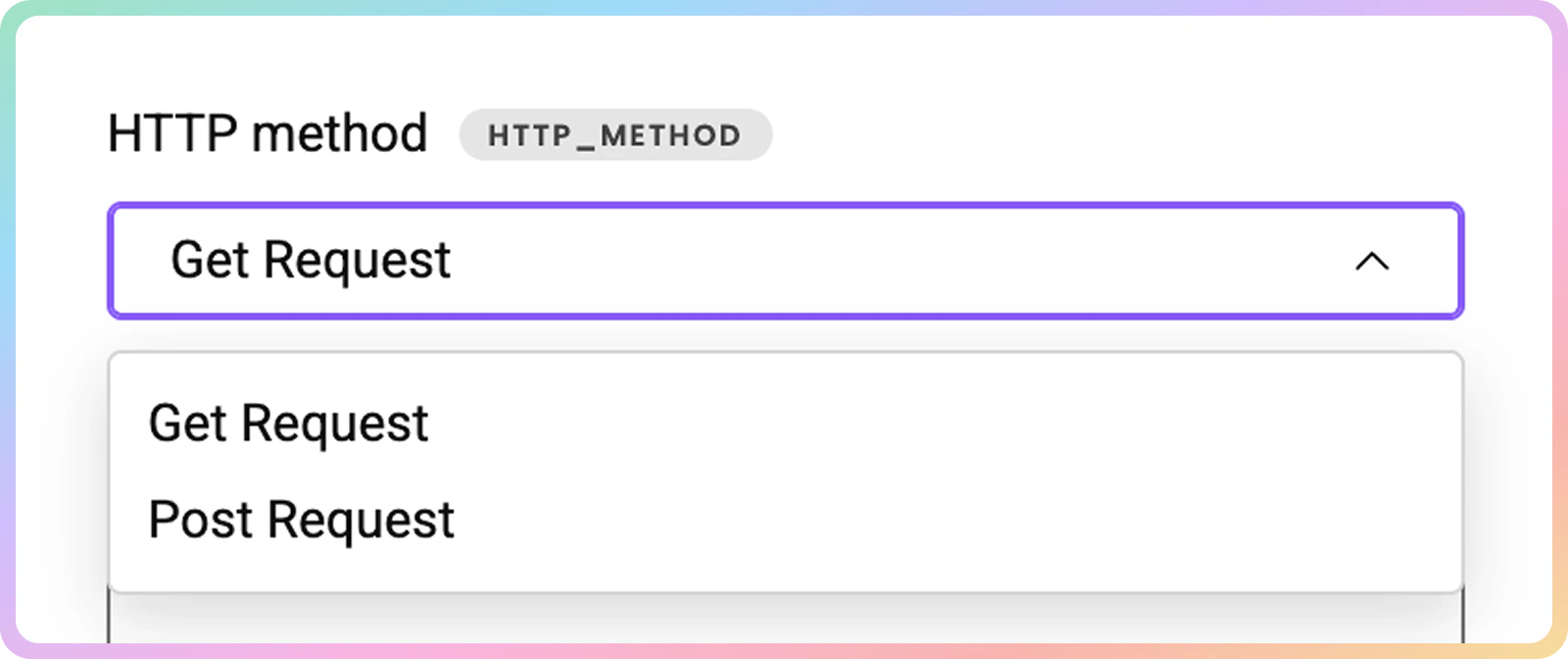
7. Then, you can choose the **`HTTP`method**. `GET` is the default one; however, you can select `POST` if you want to pass a payload with your request.
* Learn more about `POST` requests [**here**](https://help.decodo.com/docs/site-unblocker-post-requests/).
### HTTP Method
7. Then, you can choose the **`HTTP`method**. `GET` is the default one; however, you can select `POST` if you want to pass a payload with your request.
* Learn more about `POST` requests [**here**](https://help.decodo.com/docs/site-unblocker-post-requests/).
 ### Custom Status Codes
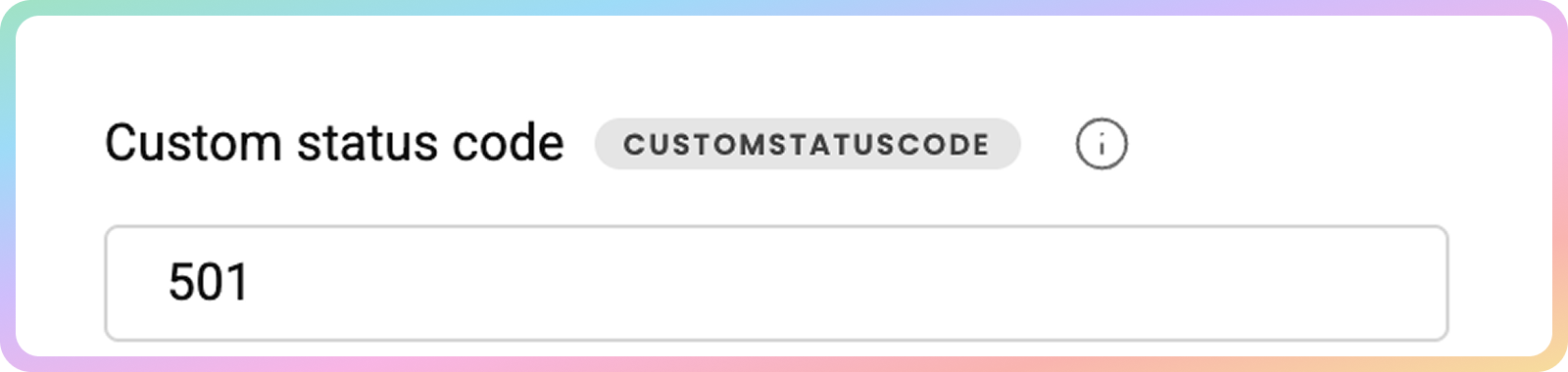
8. You can also specify **custom status codes**.
* Sometimes, websites return the required content together with a non-standard `HTTPS` status code.
* If one of your targets does that, you can indicate which status codes are acceptable and valuable to you: `501, 502`, `503` and etc.
* Learn more [**here**](https://help.decodo.com/docs/site-unblocker-custom-status-codes/).
### Custom Status Codes
8. You can also specify **custom status codes**.
* Sometimes, websites return the required content together with a non-standard `HTTPS` status code.
* If one of your targets does that, you can indicate which status codes are acceptable and valuable to you: `501, 502`, `503` and etc.
* Learn more [**here**](https://help.decodo.com/docs/site-unblocker-custom-status-codes/).
 ### Custom Cookies
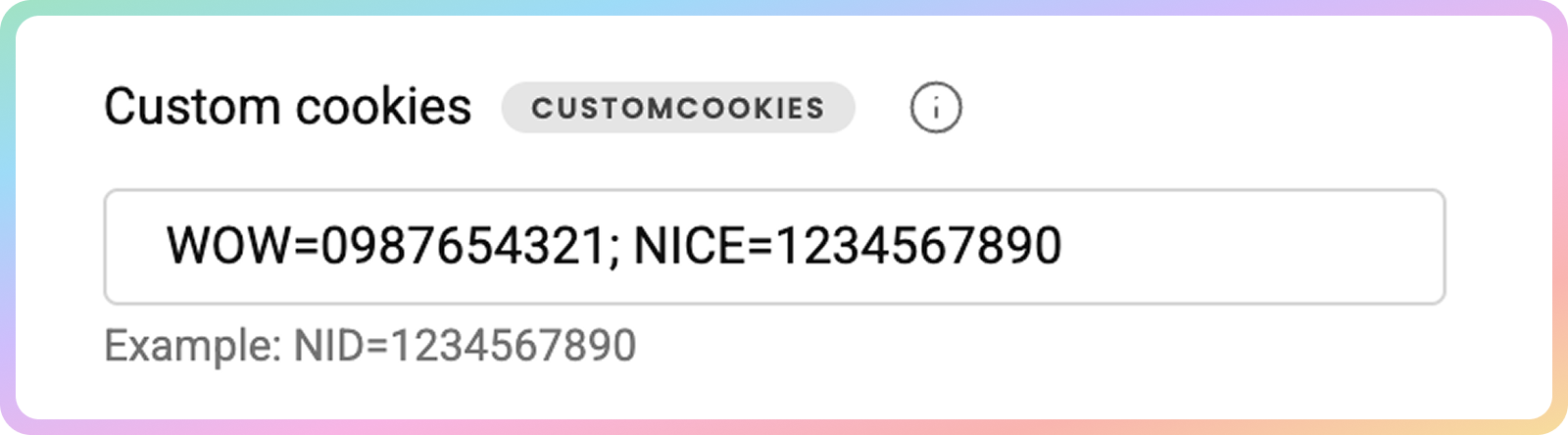
9. Specify **custom cookies**.
* You can also **force cookies**. But note that when forcing headers or cookies, the request will always be charged to your subscription, even if the request fails.
* Learn more [**here**](https://help.decodo.com/docs/site-unblocker-headers#cookies).
### Custom Cookies
9. Specify **custom cookies**.
* You can also **force cookies**. But note that when forcing headers or cookies, the request will always be charged to your subscription, even if the request fails.
* Learn more [**here**](https://help.decodo.com/docs/site-unblocker-headers#cookies).
 ### Request Body
10. Finally, specify the **Request Body** values.
* `POST` request body, example: `{"key1": "value1", "key2": "value2"}`, `{"key3: "value3"}`.
### Markdown
11. Check the toggle to automatically parse `HTML` content into `Markdown`.
* `Markdown` reduces token count compared to raw `html`.
* Learn more [**here**](https://help.decodo.com/docs/site-unblocker-markdown/).
### Sending a Request
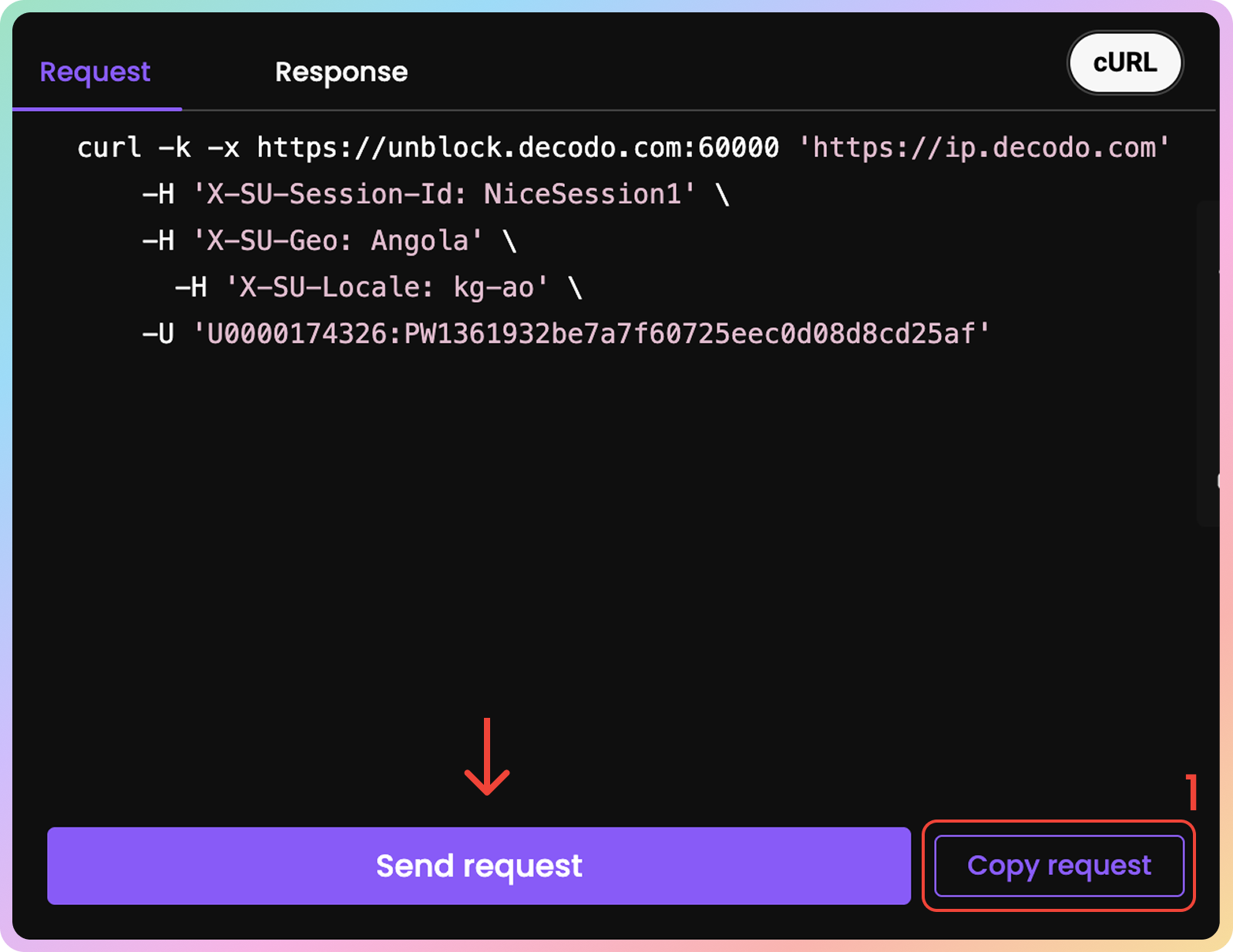
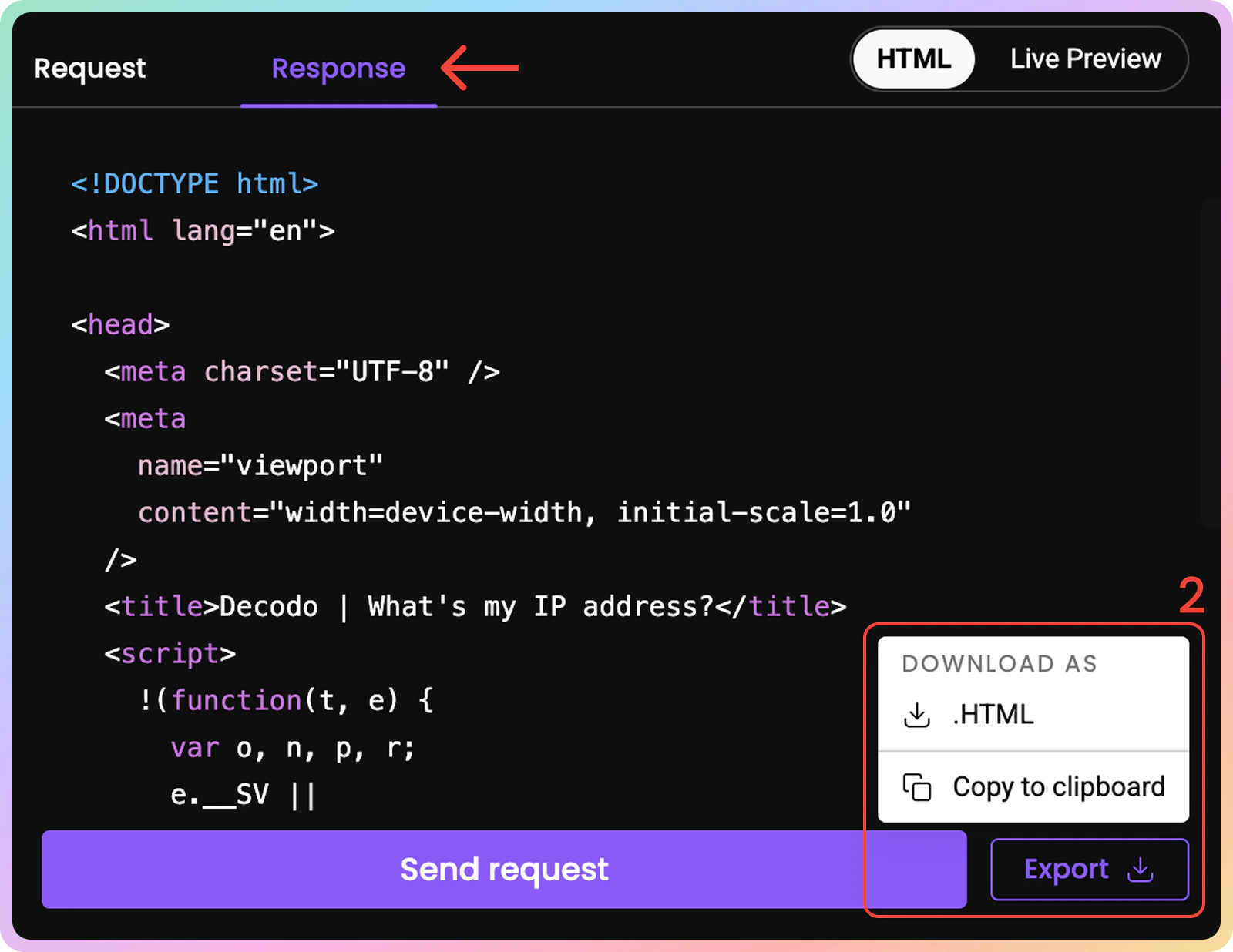
12. Once you're all set, press **Send Request**. After a few moments, you'll see the returned response and live preview.
1) If you select the **Request tab**, you may also copy the `cURL` command by clicking **Copy request**.
2) You can **copy** the response or **download** it in `HTML`.
### Request Body
10. Finally, specify the **Request Body** values.
* `POST` request body, example: `{"key1": "value1", "key2": "value2"}`, `{"key3: "value3"}`.
### Markdown
11. Check the toggle to automatically parse `HTML` content into `Markdown`.
* `Markdown` reduces token count compared to raw `html`.
* Learn more [**here**](https://help.decodo.com/docs/site-unblocker-markdown/).
### Sending a Request
12. Once you're all set, press **Send Request**. After a few moments, you'll see the returned response and live preview.
1) If you select the **Request tab**, you may also copy the `cURL` command by clicking **Copy request**.
2) You can **copy** the response or **download** it in `HTML`.
 ## Usage Statistics
To track your traffic usage, go to the **Usage Statistics** tab.
### Graph
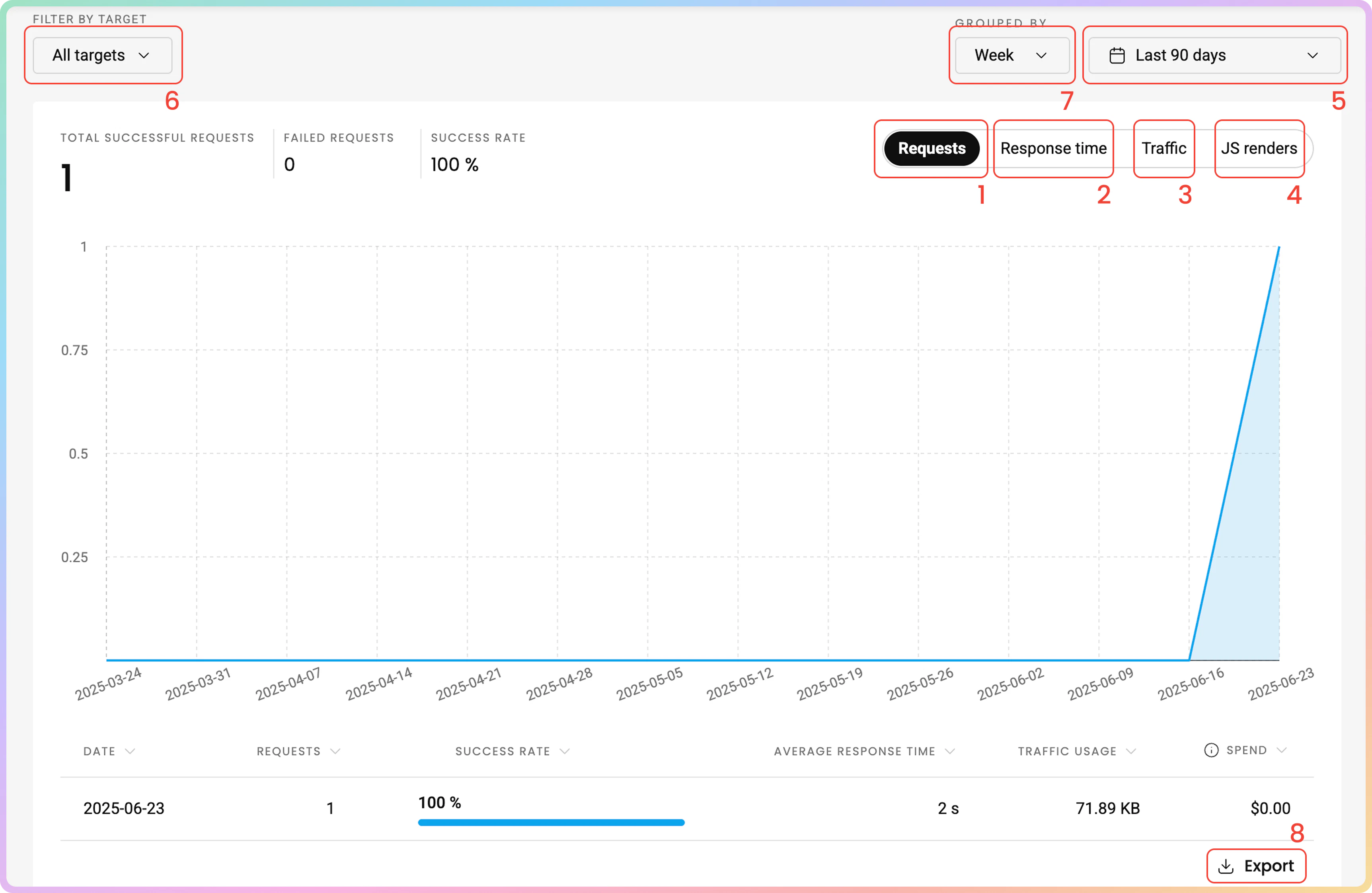
Here, you can see various statistics displayed in a graph:
1. The number of **requests** you've sent (total successful requests, failed requests, and success rate).
2. The **average response time**.
3. The **traffic used**
4. The number of **`JavaScript`renders**
5. Choose the **time period**.
6. **Filter** by target.
7. **Group** by hour, day, week, or month.
8. **Export** the table data in `.CSV`, `.TXT`, or `.JSON` formats.
## Usage Statistics
To track your traffic usage, go to the **Usage Statistics** tab.
### Graph
Here, you can see various statistics displayed in a graph:
1. The number of **requests** you've sent (total successful requests, failed requests, and success rate).
2. The **average response time**.
3. The **traffic used**
4. The number of **`JavaScript`renders**
5. Choose the **time period**.
6. **Filter** by target.
7. **Group** by hour, day, week, or month.
8. **Export** the table data in `.CSV`, `.TXT`, or `.JSON` formats.
 ### Top Targets
At the bottom of the page, you can see more detailed information about each **target**:
1. The **target**.
2. The **number of requests**.
3. **Traffic**
4. **Success rate**.
5. **Average response time**
6. **Spend** in `$` (Amounts displayed are without **VAT**)
### Top Targets
At the bottom of the page, you can see more detailed information about each **target**:
1. The **target**.
2. The **number of requests**.
3. **Traffic**
4. **Success rate**.
5. **Average response time**
6. **Spend** in `$` (Amounts displayed are without **VAT**)
 ***
### Statistics Via Requests
* Learn more about `URL` parameters for statistics [**here**](https://help.decodo.com/docs/site-unblocker-statistics/).
## Troubleshooting
If you are having any issues, check out our [**troubleshooting**](https://help.decodo.com/docs/site-unblocker-troubleshooting/) section or reach out directly to our support team available 24/7.
***
Need help or just want to say hello? Our support is available 24/7. \
You can also reach us anytime via email at [support@decodo.com](mailto:support@decodo.com).
Can't find what you're looking for? Request an article! \
Have feedback? Share your thoughts on how we can improve.
***
### Statistics Via Requests
* Learn more about `URL` parameters for statistics [**here**](https://help.decodo.com/docs/site-unblocker-statistics/).
## Troubleshooting
If you are having any issues, check out our [**troubleshooting**](https://help.decodo.com/docs/site-unblocker-troubleshooting/) section or reach out directly to our support team available 24/7.
***
Need help or just want to say hello? Our support is available 24/7. \
You can also reach us anytime via email at [support@decodo.com](mailto:support@decodo.com).
Can't find what you're looking for? Request an article! \
Have feedback? Share your thoughts on how we can improve.