> ## Documentation Index
> Fetch the complete documentation index at: https://help.decodo.com/llms.txt
> Use this file to discover all available pages before exploring further.
# Stackposts Proxy Setup Guide
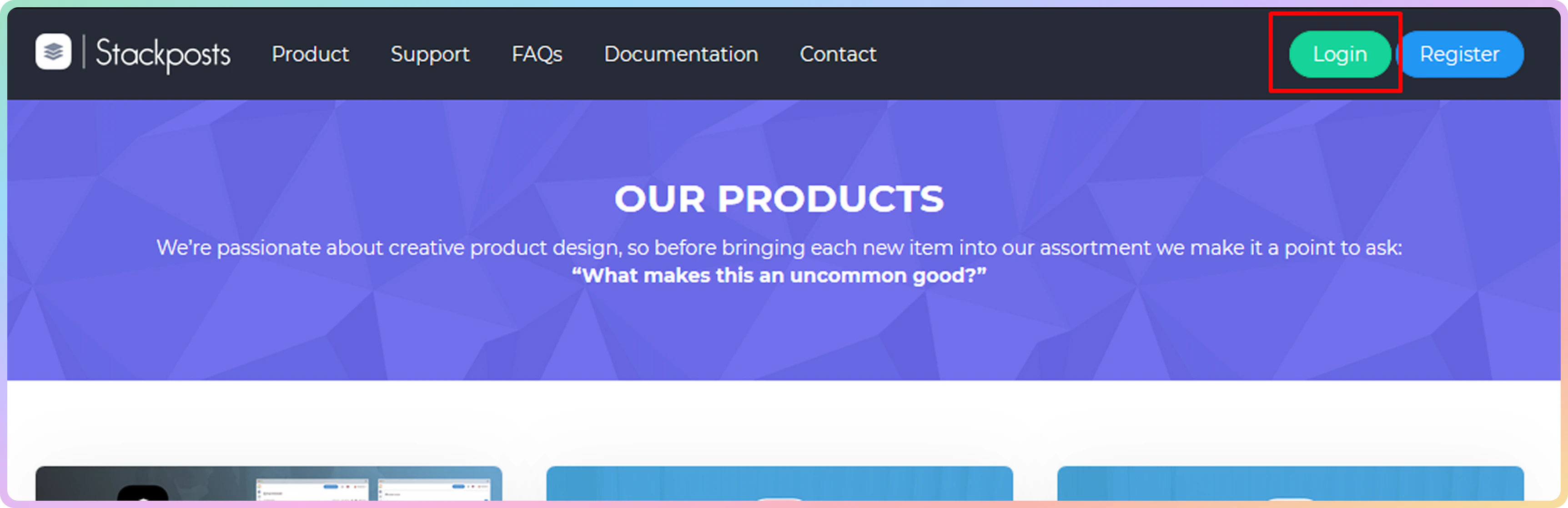
Open **Stackposts** homepage and click on the **Login** button. Enter your credentials and proceed to the dashboard.
 In the dashboard menu, select the **Proxies** icon.
 You will now see all of the proxies that you have added to your account.
 ### Decodo Stackposts authentication
**Stackposts** is a third-party tool that does not run locally on your machine. Therefore, whitelist IP authentication for this tool is not available.
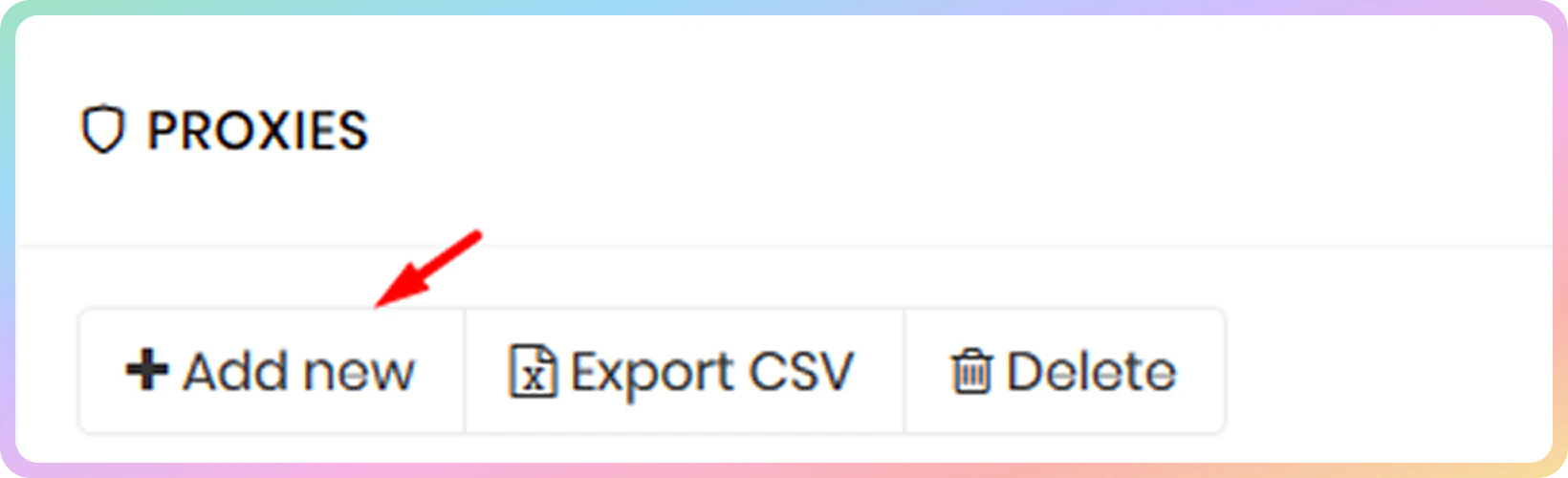
For authentication through our proxy network, select the **Add new** button.
### Decodo Stackposts authentication
**Stackposts** is a third-party tool that does not run locally on your machine. Therefore, whitelist IP authentication for this tool is not available.
For authentication through our proxy network, select the **Add new** button.
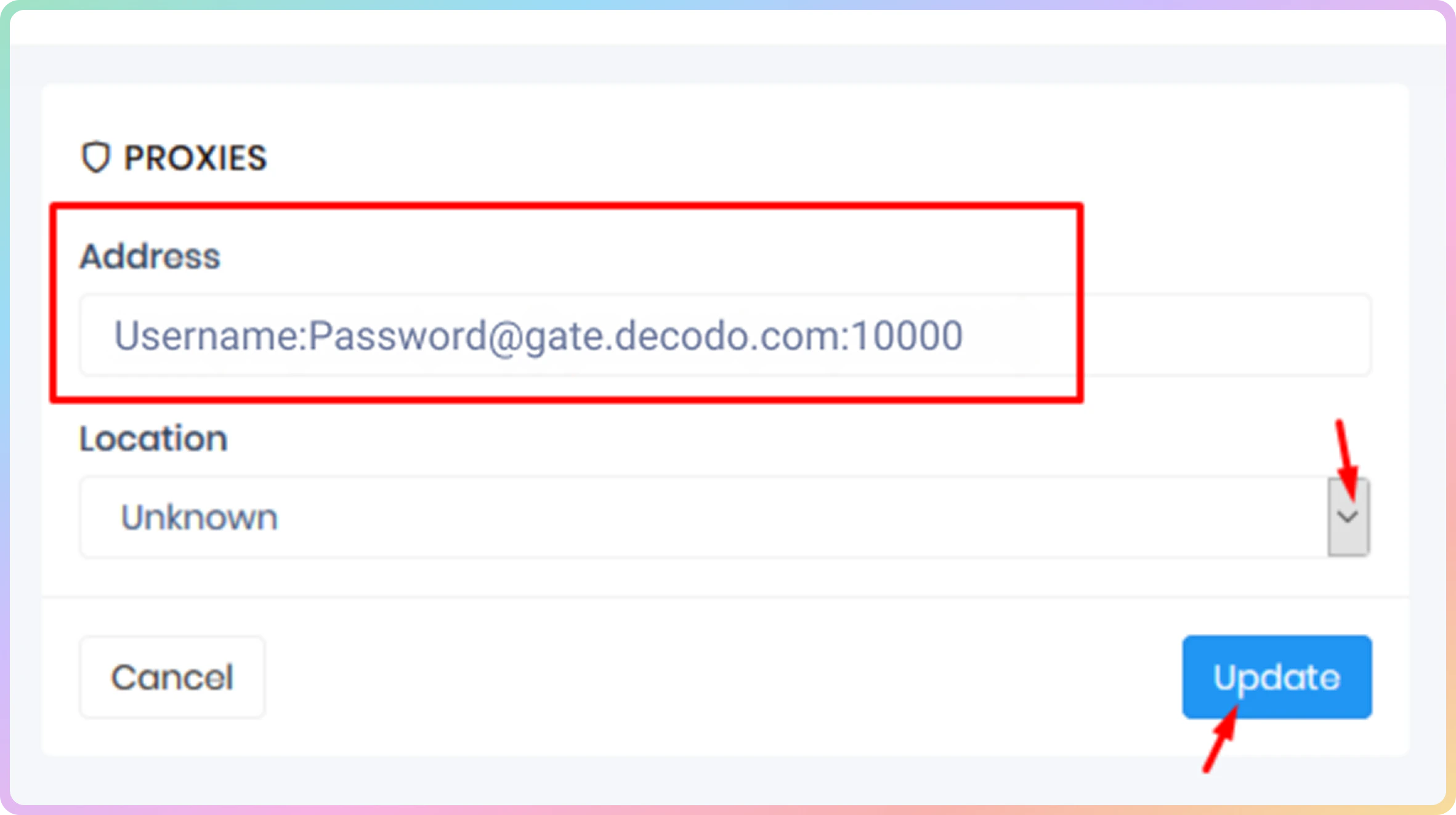
 You can use the following layouts for authentication:
* `http://username:password@gate.decodo.com:10000`
* `username:password@gate.decodo.com:10000`
You can use the following layouts for authentication:
* `http://username:password@gate.decodo.com:10000`
* `username:password@gate.decodo.com:10000`
 ***
Need help or just want to say hello? Our support is available 24/7. \
You can also reach us anytime via email at [support@decodo.com](mailto:support@decodo.com).
Can't find what you're looking for? Request an article! \
Have feedback? Share your thoughts on how we can improve.
***
Need help or just want to say hello? Our support is available 24/7. \
You can also reach us anytime via email at [support@decodo.com](mailto:support@decodo.com).
Can't find what you're looking for? Request an article! \
Have feedback? Share your thoughts on how we can improve.