

User:pass Authentication
Your Proxy User
- Free Proxies come with a single proxy user that is created automatically on activation.
- You cannot purchase and add proxy users or set per-user traffic limits.
.png?fit=max&auto=format&n=eHnaKujrgx580g2h&q=85&s=94135a78a96d15e815800cca215cb2f2)
Password Generation
- Change your proxy user’s password by clicking the arrow (Generate password) icon and choosing Confirm.
- Click the eye icon to reveal or hide the password.
- Copy the username and password by clicking on them.
.png?fit=max&auto=format&n=eHnaKujrgx580g2h&q=85&s=cdbadd96091a8c68a79feeabda3a7173)
Traffic Limit
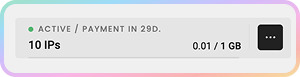
- Your plan has a fixed 1 GB per month traffic limit that applies to your proxy user.
- You cannot add, edit, or purchase extra traffic.
Whitelisted IP Authentication
IP-based whitelisting is not supported for Free Proxies. Authenticate using your
username:password proxy credentials.Support
Need help or just want to say hello? Our support is available 24/7.
You can also reach us anytime via email at support@decodo.com.
You can also reach us anytime via email at support@decodo.com.
Feedback
Can’t find what you’re looking for? Request an article!
Have feedback? Share your thoughts on how we can improve.
Have feedback? Share your thoughts on how we can improve.