

Activation
Pay As You Go is available with our Residential and Mobile proxy plans. To activate it, go to the Residential Proxies tab and select either the Residential or the Mobile proxies. Continue to the Pricing page and select Pay As You Go in the Plans section. Pay As You Go can only be purchased using funds in your Wallet.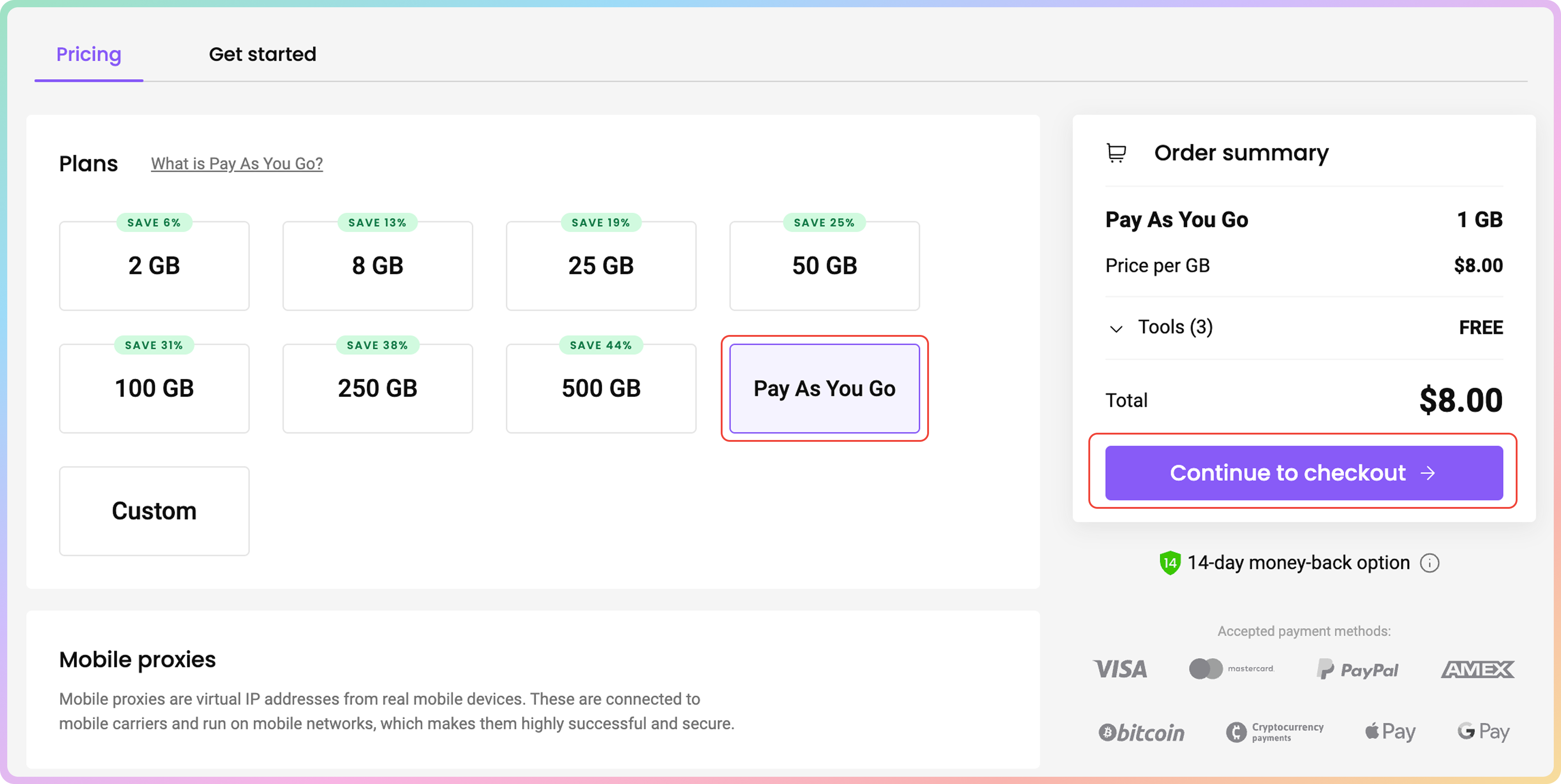
Deactivation
To turn Pay As You Go off, click on the slider in the top right corner. A “Pay As You Go has been successfully turned off” message will pop up as confirmation that the feature is turned off, and you will no longer be automatically charged. To turn auto-renewal on, click on the slider button once again.
I Want to Use Pay As You Go but Still Have a Residential Proxy Plan
Please be aware that the Pay As You Go option cannot be activated with an active monthly subscription. First, make sure you don’t have any unused traffic on your current plan, as any unused traffic will be lost after the plan expires. To expire your plan, simply contact our customer support via LiveChat for an instant reply. Alternatively, you can email support@decodo.com. We will get back to you within an hour. Feel free to use this phrase to explain the situation:I'd like to expire my current Residential proxy plan to use Pay As You Go.
Support
Need help or just want to say hello? Our support is available 24/7.
You can also reach us anytime via email at support@decodo.com.
You can also reach us anytime via email at support@decodo.com.
Feedback
Can’t find what you’re looking for? Request an article!
Have feedback? Share your thoughts on how we can improve.
Have feedback? Share your thoughts on how we can improve.