

Webhook Configuration
To configure which notifications you want to receive as webhooks to your specified URL:1
Account and Settings
While logged in to the dashboard, click the
Account and Settings icon at the top right.2
Settings
Then, click
Settings.3
Webhooks
Finally, click on the
Webhooks tab to open it.4
Enter URLs
Enter the URL you wish to receive webhooks to (you can change the URL anytime).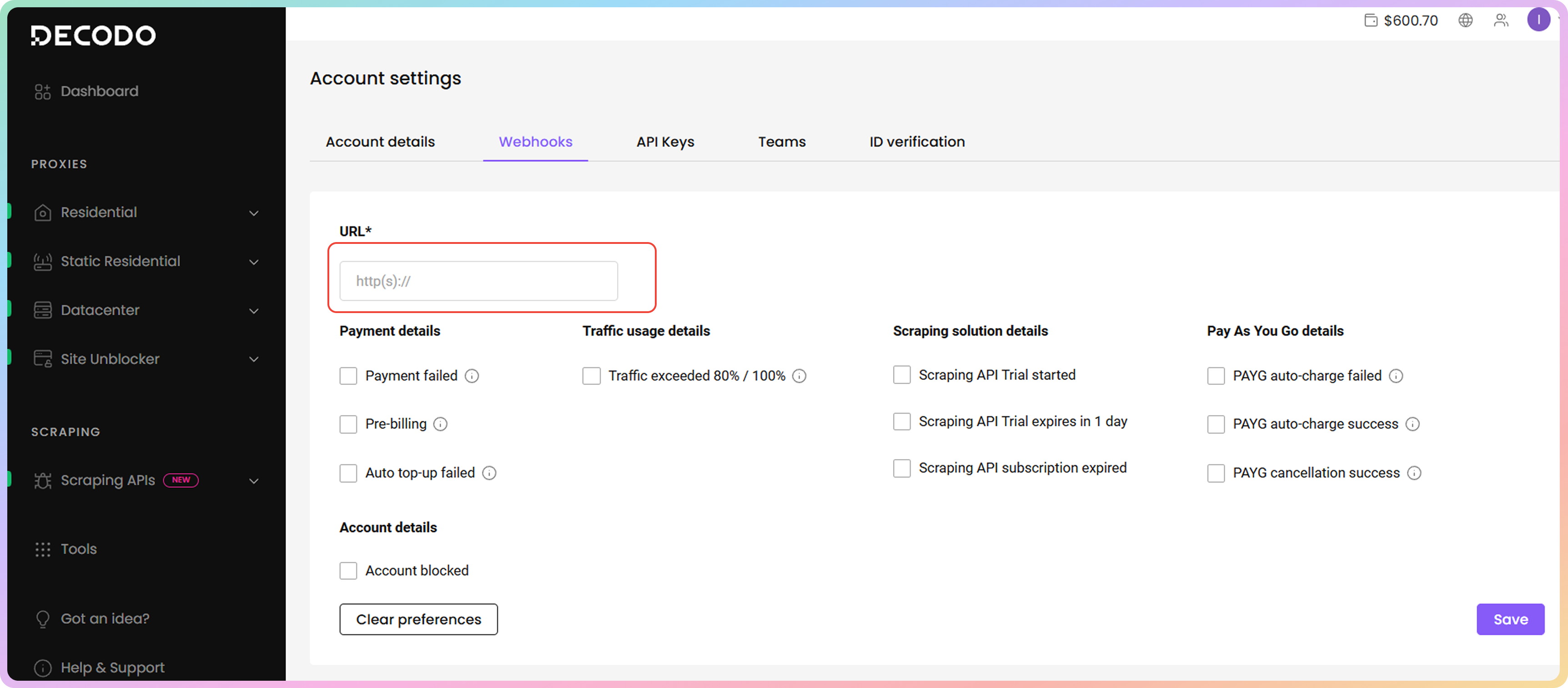
5
Select Webhooks
Select only the webhooks you want to receive at your URL, and leave blank those that you do not want us to send you (there is no limit to the number of webhooks you can activate, and you can change these settings anytime)
6
Save
Click Save at the bottom right corner
- You can enable webhooks for notifications you wish to receive at anytime and you will only receive them when applicable
- For example, if you set up a webhook for PAYG auto-charge success, you will only receive that webhook when you have an active PAYG plan, reach 90% of your traffic (0.9 GB), and are automatically charged for another GB
Available Webhooks
Payment details
- Failed payments (past due alerts included) - we failed to charge you for your recurring subscription
- Pre-billing alert - after 3 days, you will be charged for your recurring subscription
- Auto top-up failed - we failed to charge you for your automated GB top-up feature (this turns the auto top-up feature off, and for it to work again, you need to manually enable it)
Traffic usage details
- 80% / 100% usage alerts (pay per GB plans) - your total traffic limit reached 80% or 100%
Scraping solution details
- Scraping API Trial Started - your Scraping API trial is ready to use
- Scraping API Trial expires in 1 day - your Scraping API trial will expire in 1 day
- Scraping API subscription expired - your Scraping API trial has expired
Pay As You Go details
- PAYG auto-charge failed - we failed to charge you for another GB of your PayG plan
- PAYG auto-charge success - you used up 90% (0.9 GB) of your current PayG traffic and have been charged for another GB
- PAYG cancellation success - you successfully turned off automatic PayG payments, which happen after reaching 90% (0.9 GB) of your current GB (you will still be able to use your remaining traffic for 12 months, unless you purchase another residential plan before doing so)
Account details
- Account blocked - your account has been suspended
Disable All Enabled Webhooks
If you do not wish to receive webhooks anymore or just reset them and set up a new configuration, follow these steps:1
Account and Settings
While logged in to the dashboard, click the
Account and Settings icon at the top right.2
Settings
Then, click
Settings.3
Webhooks
Click on the
Webhooks tab to open it.4
Clear Preferences
Click on
Clear preferences.5
Confirm
In the pop-up window, click 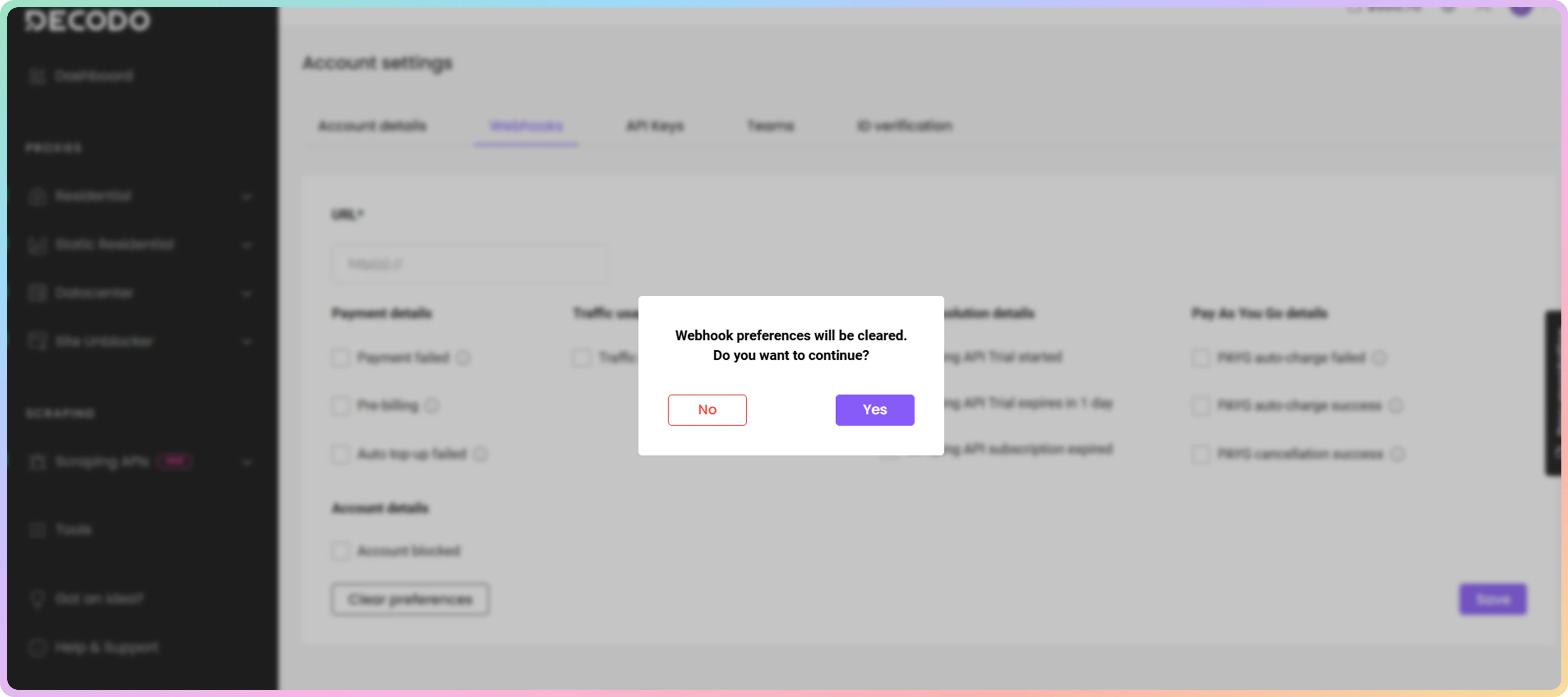
Yes to confirm you want to disable all the currently enabled webhooks.Body Examples
JSON payload you will receive for different webhooks
Failed payments (past due alerts included)
Pre-billing alert
Auto top-up failed
Traffic usage details
Scraping API Trial Started
Scraping API Trial will expire in 1 day
Scraping API sub expired
PayG auto-charge failed
PayG auto-charge success
PAYG cancellation success
Account blocked
Support
Need help or just want to say hello? Our support is available 24/7.
You can also reach us anytime via email at support@decodo.com.
You can also reach us anytime via email at support@decodo.com.
Feedback
Can’t find what you’re looking for? Request an article!
Have feedback? Share your thoughts on how we can improve.
Have feedback? Share your thoughts on how we can improve.