

- Residential Proxy
* - Mobile Proxy
* - ISP Pay/GB
- Datacenter Pay/GB
* For non-Pay-As-You-Go proxy plans.
The auto top-up traffic price per GB is the same as manually topped-up extra traffic. You will be charged by the same payment method you’ve purchased on your subscription.
The auto top-up feature will be disabled if you turn it off, cancel your subscription, or in case of the unsuccessful payment.
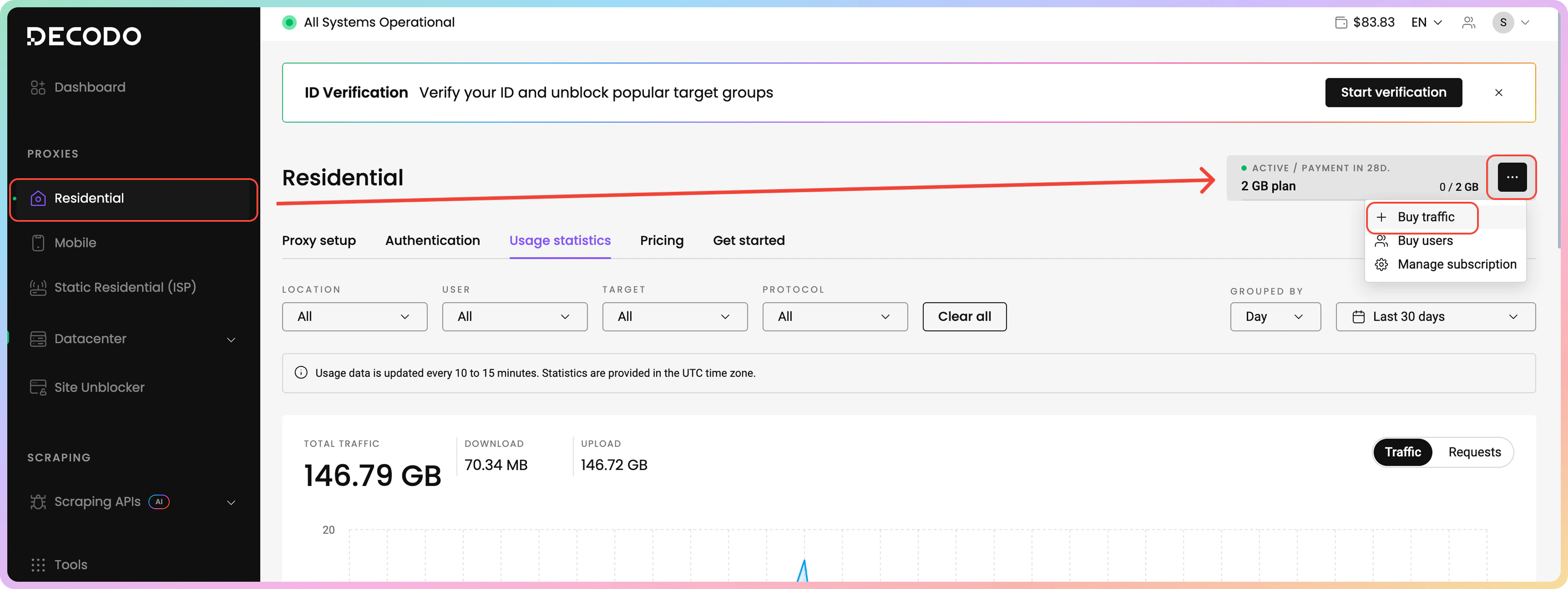
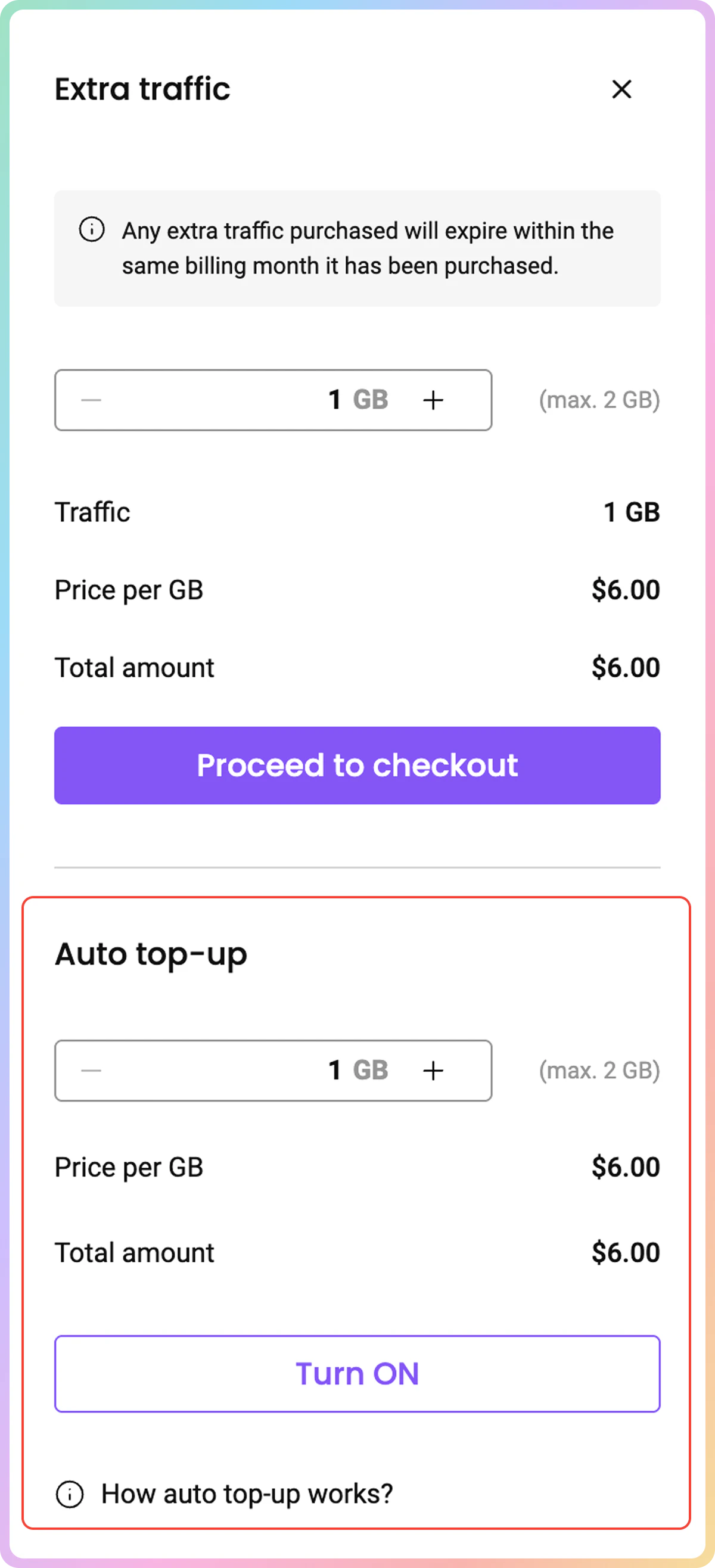
Traffic purchased via the auto top-up feature carries over into the next billing cycle if the auto top-up was triggered during the current subscription cycle. Any unused carried-over traffic expires at the end of that following cycle.
Support
Need help or just want to say hello? Our support is available 24/7.
You can also reach us anytime via email at support@decodo.com.
You can also reach us anytime via email at support@decodo.com.
Feedback
Can’t find what you’re looking for? Request an article!
Have feedback? Share your thoughts on how we can improve.
Have feedback? Share your thoughts on how we can improve.