Automate in-page interactions before scraping: click, input, scroll, wait, wait_for_element, and fetch_resource with CSS, XPath, and text selectors.
Web Data API supports performing a number of browser actions before retrieving a desired result.
Browser actions run in a headless browser, so every request using browser_actions must also set
headless to "html". Without it the request fails with
Browser actions require "headless" parameter to be set to "html".
How much time in seconds to wait at max until the execution of the action is terminated.
wait_time_s
Name
Description
wait_time_s
How much time in seconds to use explicitly to execute the action.
on_error
Name
Description
on_error
Indicates what to do with actions in case they fail: “error”: Stops the execution of browser actions. “skip”: Continues with the next action.
Fetching a Network Request
If a website populates content by fetching a JSON object, you can scrape just the network request and thus avoid having to deal with HTML altogether. To do this, you can use the fetch_resource browser action, as shown below.
fetch_resource can be combined with other browser actions, but it must be the last action in the list.
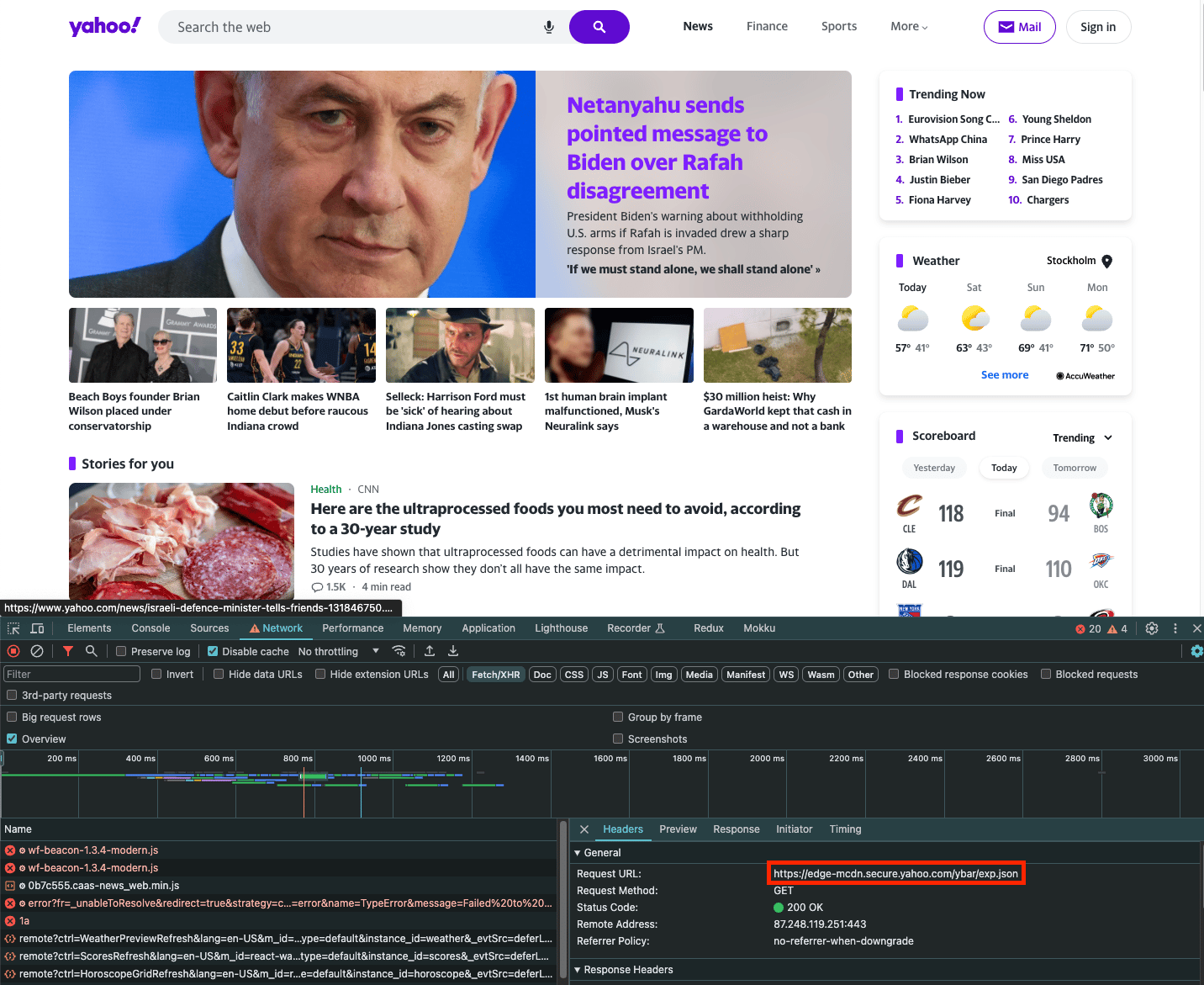
For example, when loading yahoo.com and opening the Network tab, we can see an exp.json file being loaded:
If you wish to scrape just the contents of this request, you can use the fetch_resource browser action. Note that filter is a regular expression that matches the filename: