

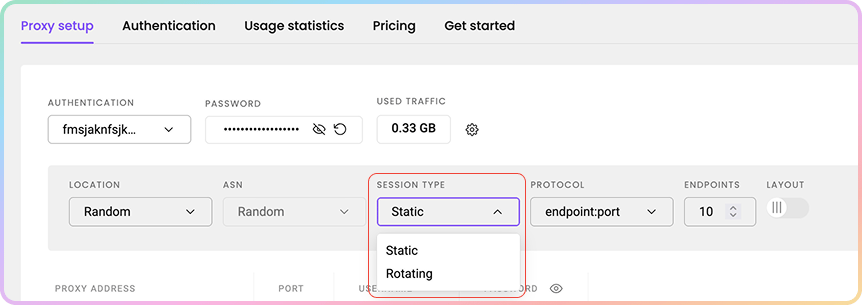
Static Port
Ports10001-63000 provide a static IP address that remains until you decide to change it or the session ends.
- Change the IP address manually by switching to a different port.
User:pass example
Here are a few basic request examples with a static port in various programming languages when authenticating via the username:password method.
Whitelisted IP example
Here are a few basic request examples with a static port in various programming languages when authenticating via the whitelisted IP method.Rotating Port
Port10000 rotates the IP address on every request you make.
User:pass example
Here are a few basic request examples with a rotating port in various programming languages when authenticating via the username:password method.
Whitelisted IP example
Here are a few basic request examples with a rotating port in various programming languages when authenticating via the whitelisted IP method.Support
Need help or just want to say hello? Our support is available 24/7.
You can also reach us anytime via email at support@decodo.com.
You can also reach us anytime via email at support@decodo.com.
Feedback
Can’t find what you’re looking for? Request an article!
Have feedback? Share your thoughts on how we can improve.
Have feedback? Share your thoughts on how we can improve.