

Sticky Proxies
Decodo sticky sessions allow a proxy IP address to persist for up to24hours (1440 minutes) before it’s rotated to a different IP address.
The default sticky session time is
10minutes.Dashboard Proxy List Generation
To generate an endpoint list, navigate to the Dashboard → Proxy setup section.On the Proxy setup page, you can select between
1, 10, 30, or 60-minute sessions from a drop-down menu or specify a custom duration of up to 24hours.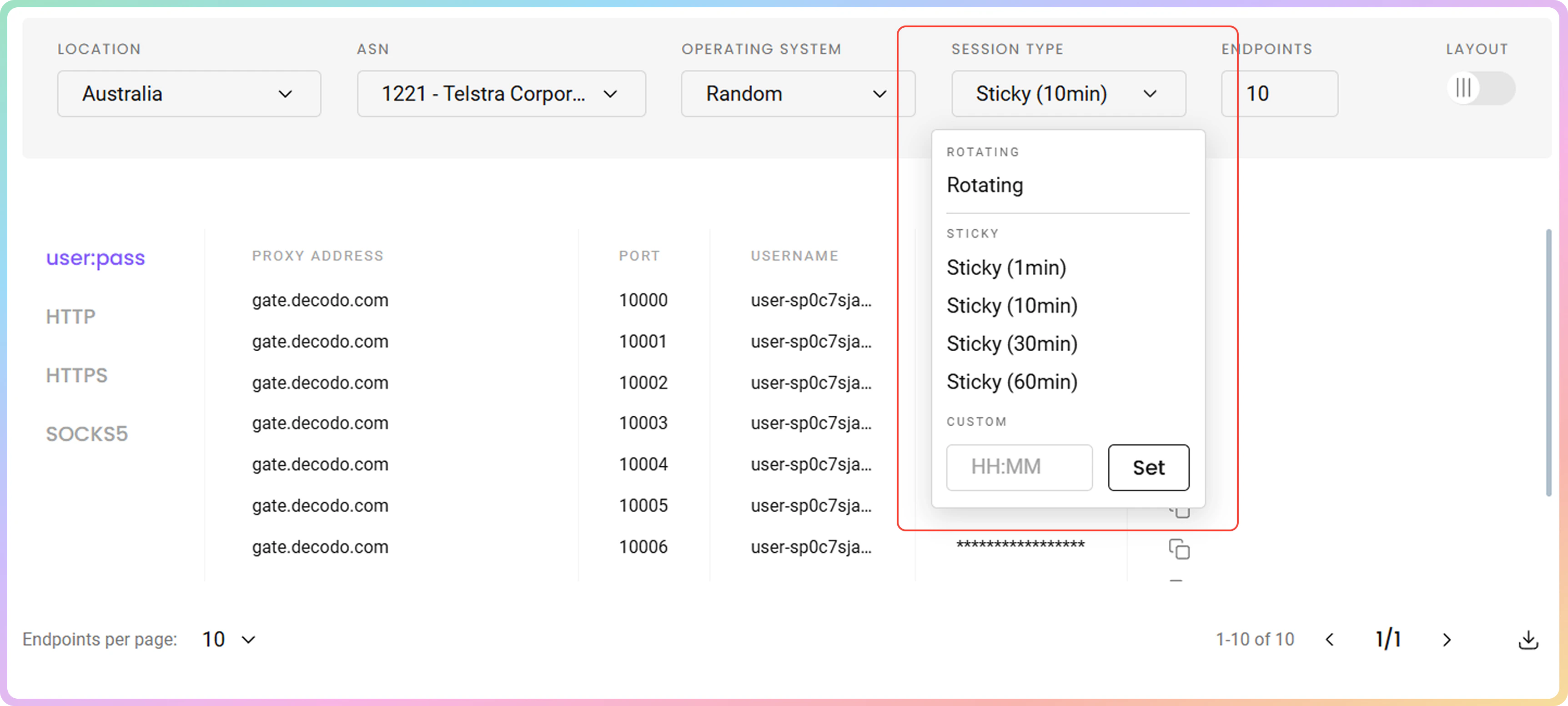
Custom Session Duration
You can use thesessionduration parameter together with the proxy username or a whitelisted IP to extend the length of a session up to 24hours (1440 minutes).
- The
sessiondurationparameter accepts any integer (minute) value between1and1440. - A
1440minute duration is the longest possible proxy session.
Multiple Concurrent Sticky Sessions
Adding thesession variable to the proxy username or using a whitelisted IP will allow the proxy IP address to persist for multiple requests.
Different session parameter values are used to differentiate between active sessions and behave just like the different sticky proxy ports with our country endpoints.
session-1session-2
Examples
Username:password
AcURL example using a 90-minute long sessionduration parameter used with a proxy username and session ID to allow the IP address to persist for multiple requests:
Whitelisted IP
AcURL example using a 90-minute long sessionduration parameter used with a Whitelisted IP and session ID to allow the IP address to persist for multiple requests:
Check out the backconnect guide for a more in-depth review of how to use a sticky session with
sessionduration and session parameters.IP Lock
Withsession parameter if IP is no longer available, it will automatically rotate to a new one. The session_iplock parameter is used in cases when IP rotation is not needed and same IP must be kept for entire session duration. With this parameter if IP is no longer available, proxy will result with 502 status code and will not grant you a new IP during desired session duration.
In order to format a request using session_iplock you must:
- Use a username:password proxy connection.
- Add
session_iplock-nameparameter (name - any string given to a session). - Add
sessiondurationparameter (sessionduration - value between1and1440).
Example
Username:password
AcURL example using a 90-minute long sessionduration parameter used with a proxy username and session_iplock-example1 to allow the IP address to persist for multiple requests:
Support
Need help or just want to say hello? Our support is available 24/7.
You can also reach us anytime via email at support@decodo.com.
You can also reach us anytime via email at support@decodo.com.
Feedback
Can’t find what you’re looking for? Request an article!
Have feedback? Share your thoughts on how we can improve.
Have feedback? Share your thoughts on how we can improve.