

dc.decodo.com
For static connection sessions, the proxy port is any number within the following range: 10001-63000
If you’re using port numbers that exceed the total IP count you’ve purchased with your plan, the ports will iterate through your existing IPs.
10000
The cURL code will be shown in the examples below. You may try them out on your machine.
City, State and ASN parameter
- The client must have purchased certain country’s IPs to be able to target its cities or ASN.
- The user must choose between city targeting, state targeting and ASN targeting, as they can’t be used simultaneously.
Username:Password
Username And Password Parameter
To use a proxy username and password, please be aware that your username line will always start withuser- followed by your proxy username.username and password with your credentials and run the command in your Terminal or Command Prompt.
You will see the IP address that has been assigned to you for this particular request, as well as the information on that IP address, including its location, in the output.
Direct IP Targeting
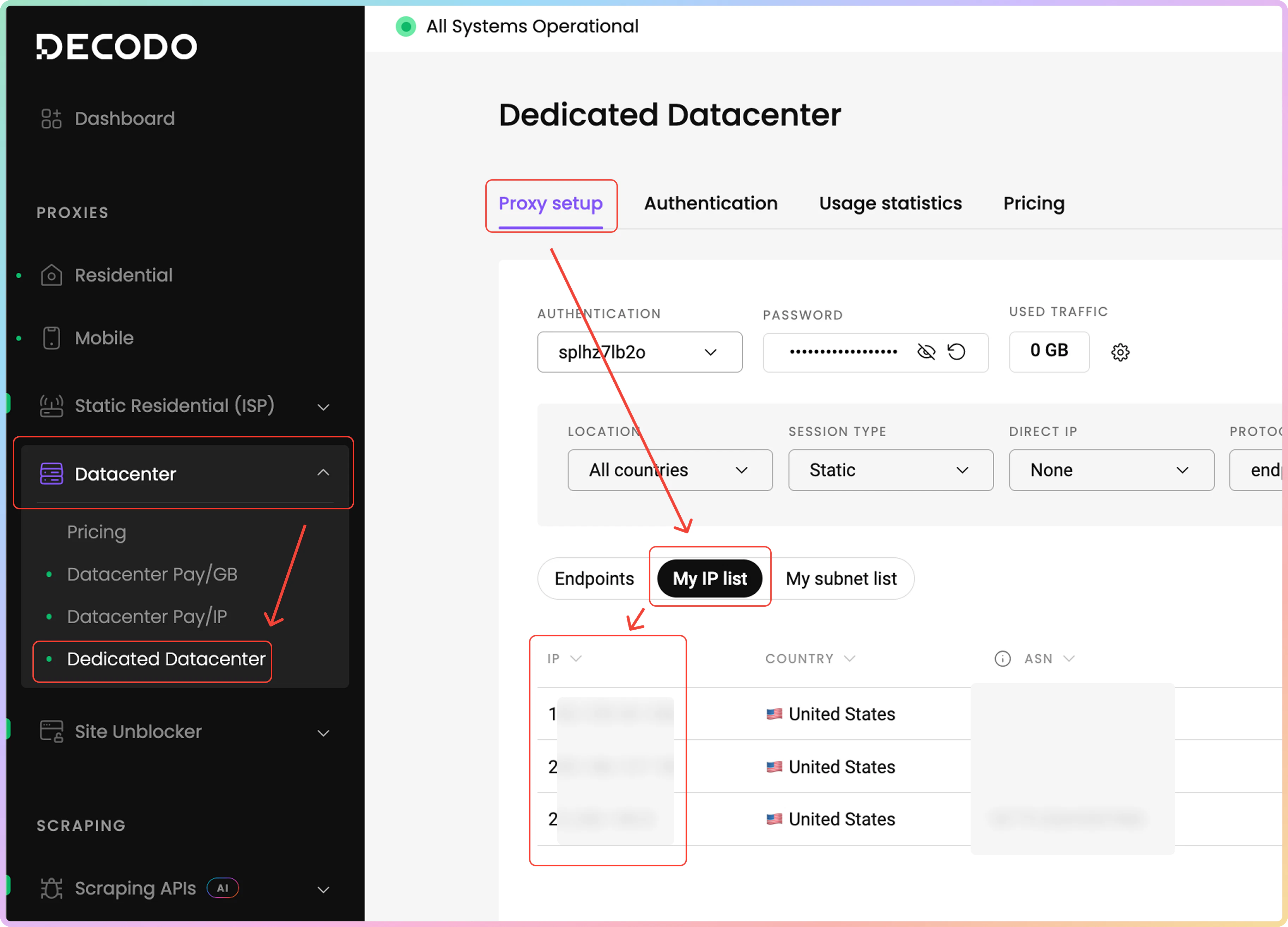
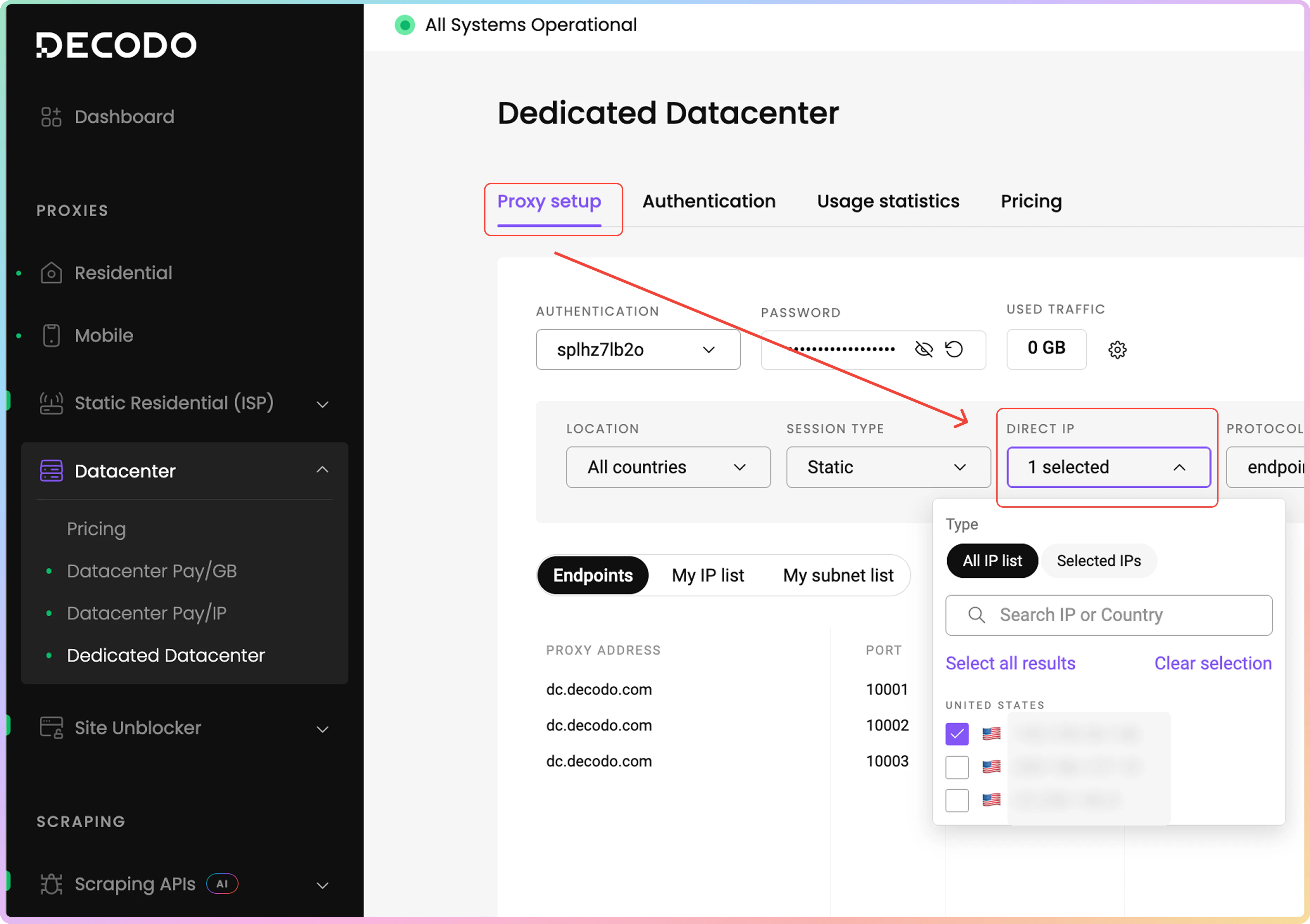
It’s possible to target specific IP addresses from the proxy IP list you’ve purchased. To find your proxy IPs, navigate to the Datacenter → Dedicated Datacenter → Proxy setup dashboard page. Then, click on the My IP list tab. In the table below, you will find the IP addresses you’ve purchased, their country of origin, and the ASN.Keep in mind, some IPs listed may not have an associated ASN.
Country Targeting
If IPs from a specific country are needed, then modify the username to include thecountry-xx parameter. Use two-letter Alpha-2 codes. There is a full list of them here.
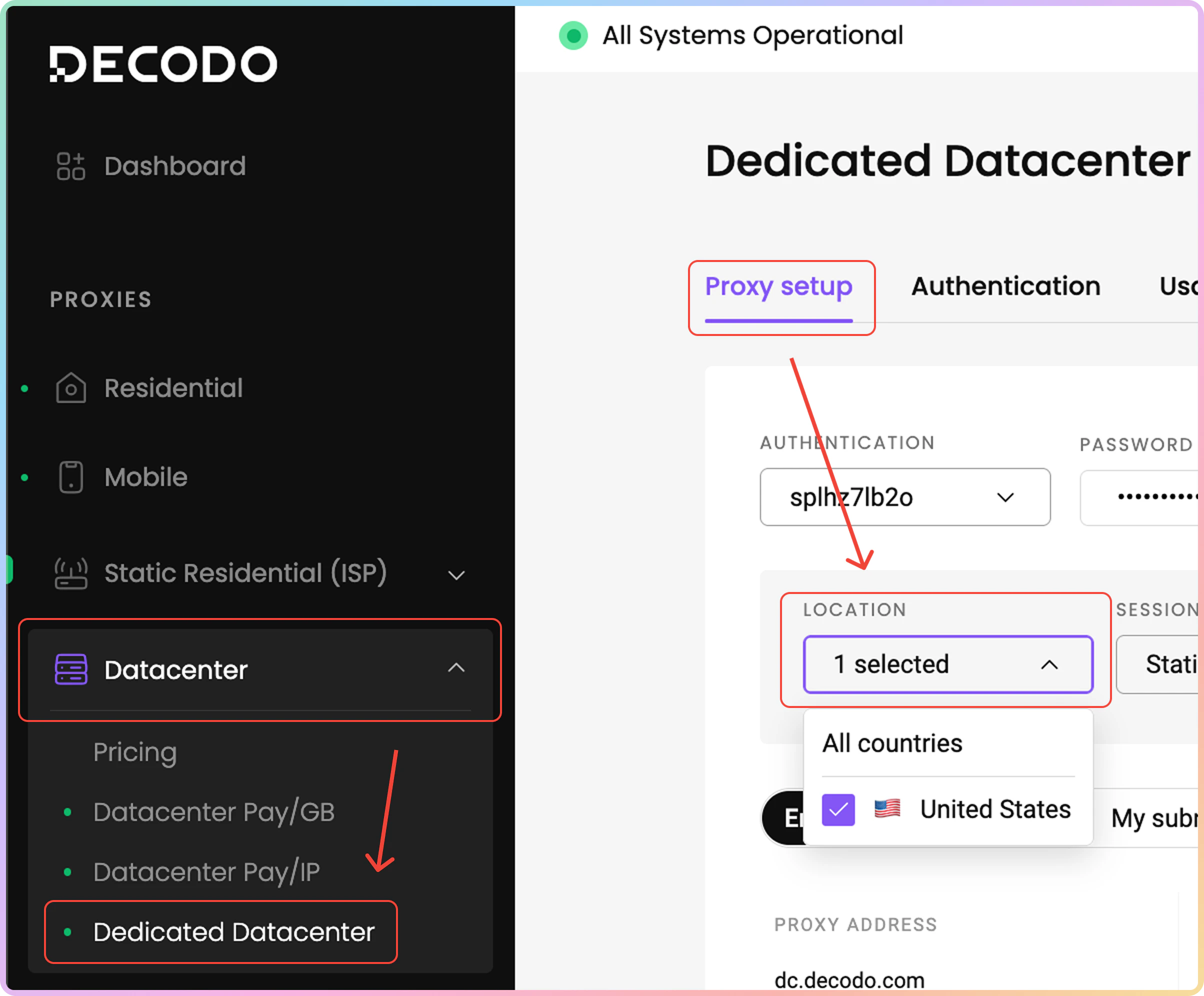
To find the countries of the IPs, head over to the Datacenter → Dedicated Datacenter→ Proxy setup dashboard page. Click on the Location field, and in the dropdown menu, feel free to select the country.
City Targeting
Add acity-xxxx parameter to the username to specify a city within a country.
It’s used in conjunction with the country parameter and is not standalone.
If the city name consists of multiple words, then use underscores.
Example of a rotating proxy that returns IPs from New York City:
State Targeting
Adding thestate-xxxxx to your username will allow for state targeting. Only US states are currently supported.
An example of a rotating proxy that returns IPs from the state of New York:
ASN Targeting
Adding theasn parameter will allow you to target IPs from a specific carrier.
- You must choose between
city,statetargeting andasntargeting, as they can’t be used simultaneously.- The same logic would apply to the
continentandcountryparameters.
- The same logic would apply to the
- An example of a proxy with the AT&T Mobility LLC
asnnumber with a rotating session:
Support
Need help or just want to say hello? Our support is available 24/7.
You can also reach us anytime via email at support@decodo.com.
You can also reach us anytime via email at support@decodo.com.
Feedback
Can’t find what you’re looking for? Request an article!
Have feedback? Share your thoughts on how we can improve.
Have feedback? Share your thoughts on how we can improve.