

Refreshing IPs
During checkout, you can choose from two options to renew your list of IPs:- Automatic – a periodic IP list refresh based on a calendar day.
- On-demand – a specific amount of actions to manually refresh the IP list during the subscription period.
Automatic IP List Refresh
None– default option.Weekly– the IPs will be refreshed on the same day of the week for an extra+80%of the plan price (the same IP list refresh date will persist into new auto-renewing subscription periods).Monthly– the IPs will be refreshed on the same day of the month (or the next day depending on the month) for an extra+20%of the plan price.
On-demand IP List Refresh
0– default option.1– for an extra+30%of the plan price.2– for an extra+60%of the plan price.3– for an extra+90%of the plan price.4– for an extra+120%of the plan price.
Using the On-demand IP List Refresh Actions
To use the on-demand IP list refresh action, go to the Datacenter Pay/IP section, click the 3 dots at the top right, then click Refresh IP list. Finally, confirm by clicking Refresh now.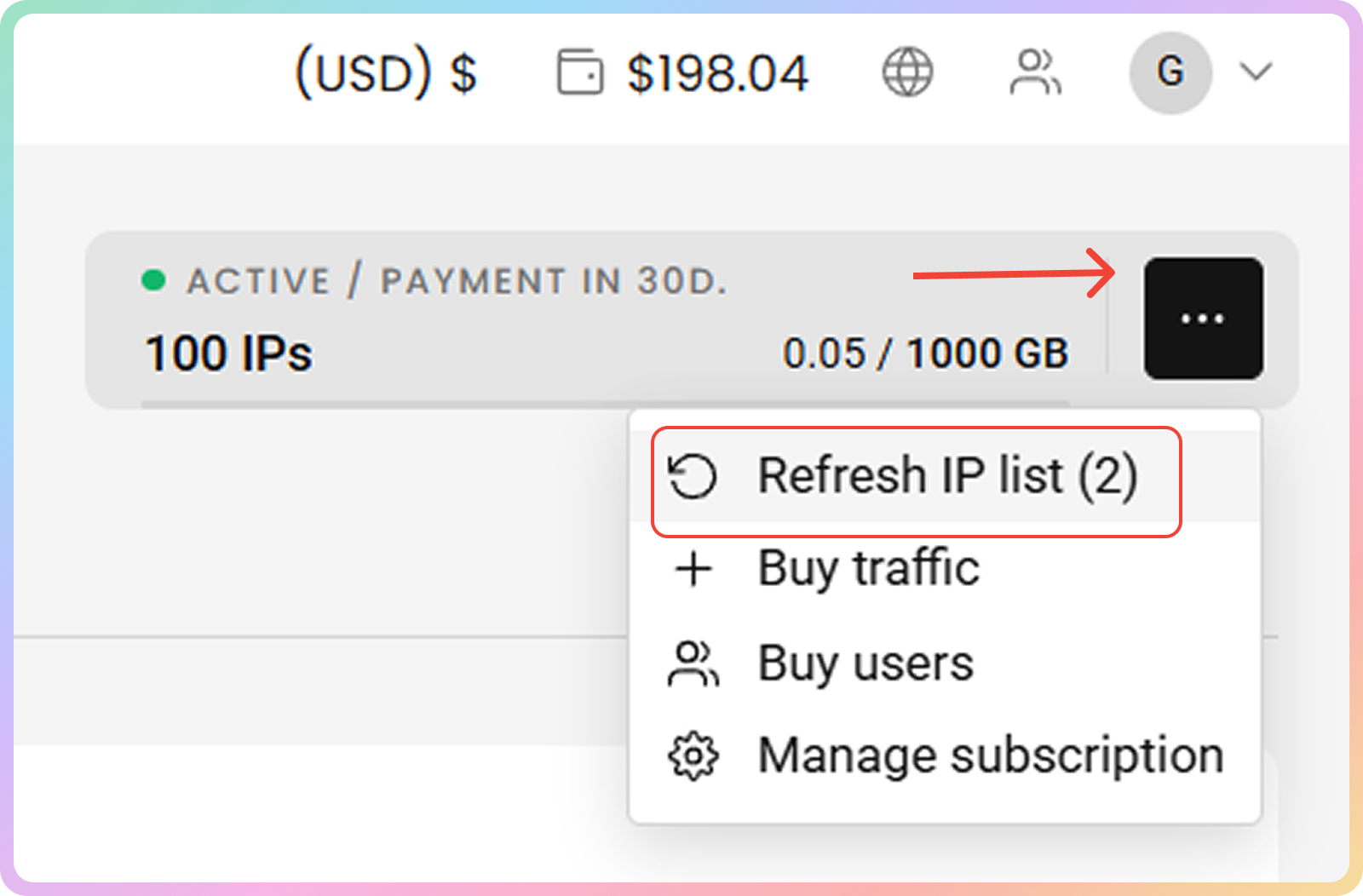
Support
Need help or just want to say hello? Our support is available 24/7.
You can also reach us anytime via email at support@decodo.com.
You can also reach us anytime via email at support@decodo.com.
Feedback
Can’t find what you’re looking for? Request an article!
Have feedback? Share your thoughts on how we can improve.
Have feedback? Share your thoughts on how we can improve.