

Getting Started
Before proceeding, ensure you have:- No other VPN or proxy active.
- The proxy endpoint and port (e.g.,
us.decodo.com:10101). - Your proxy username and password (or a whitelisted IP set).
Wi-Fi Network Setup
1
Ensure you’re connected to a Wi-Fi network and open Settings.
2
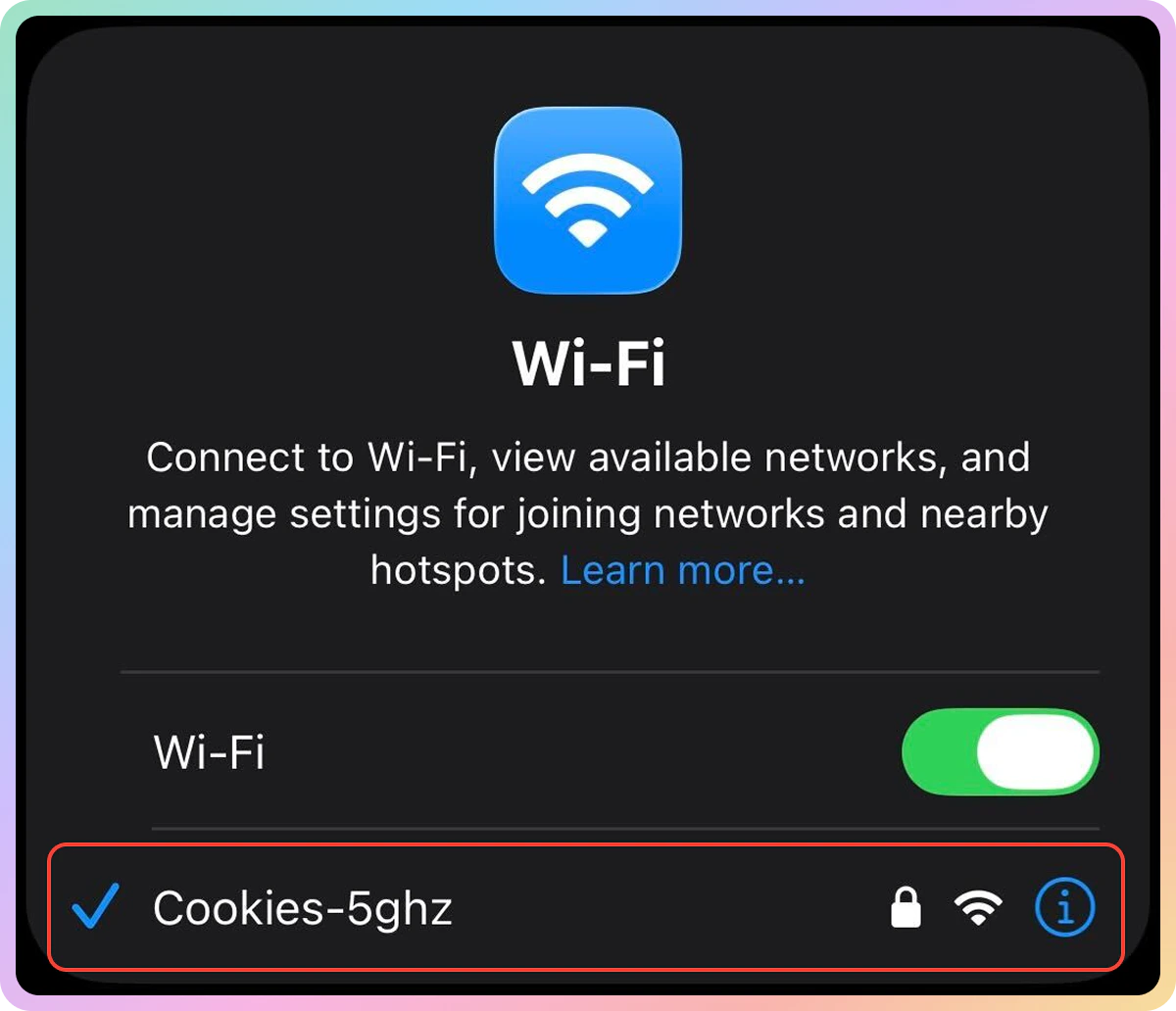
Tap on Wi-Fi and select the network you are connected to.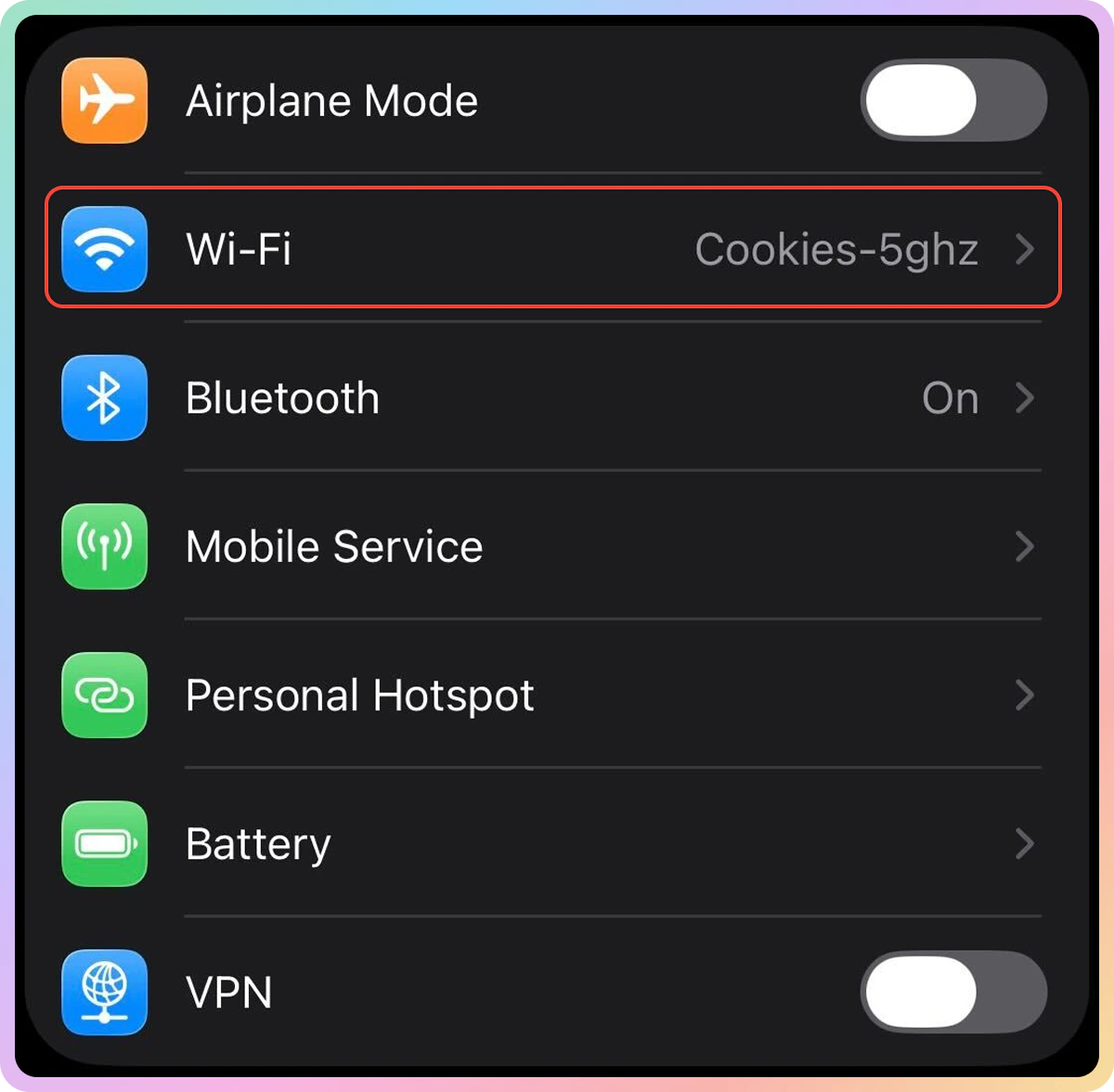
3
Scroll down to the HTTP Proxy section and tap Configure Proxy.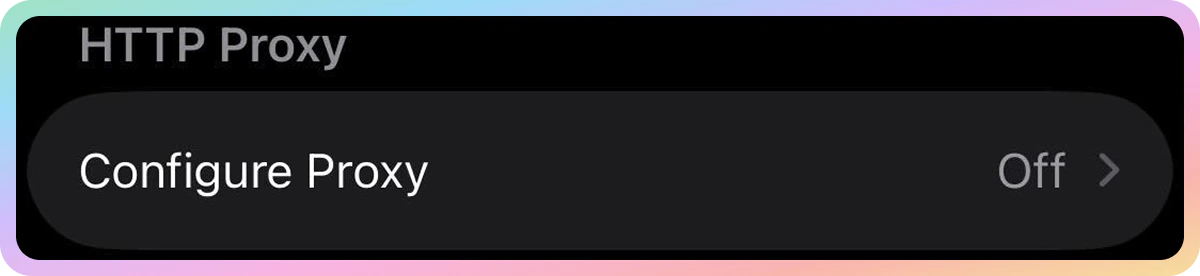
4
Switch to Manual.
5
Fill in the following fields:
- Server (e.g.,
us.decodo.com). - Port (e.g.,
10101).
6
Set up the authentication:
- Enable Authentication.
- Username: Proxy username.
- Password: Proxy password.
If you’re using IP whitelisting instead of a proxy username and password, you can simply skip this step.
- Learn more about authentication methods here.
7
Tap Save.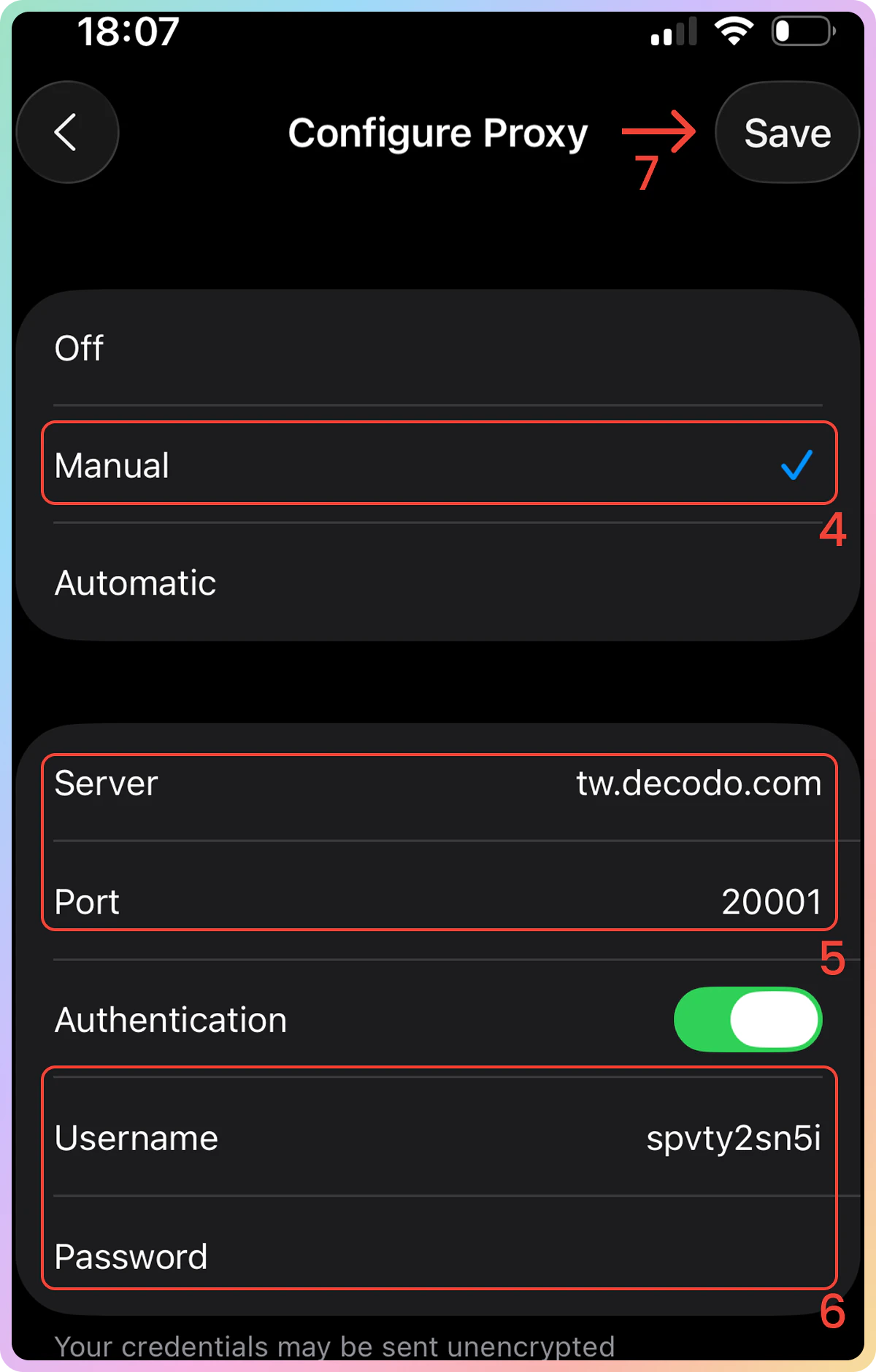
8
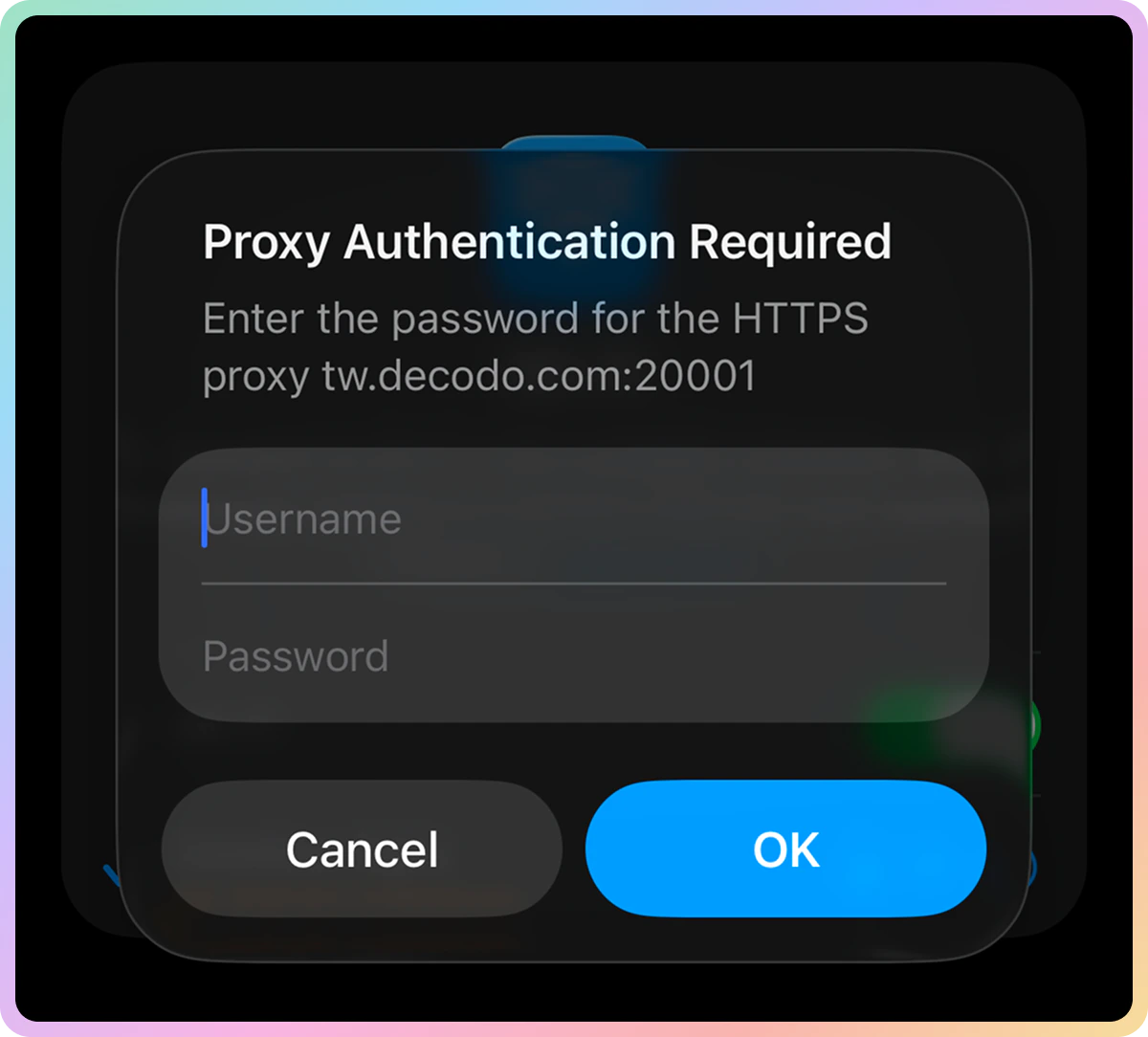
If you receive a pop-up asking for credentials, tap Settings, and re-enter your proxy authentication details.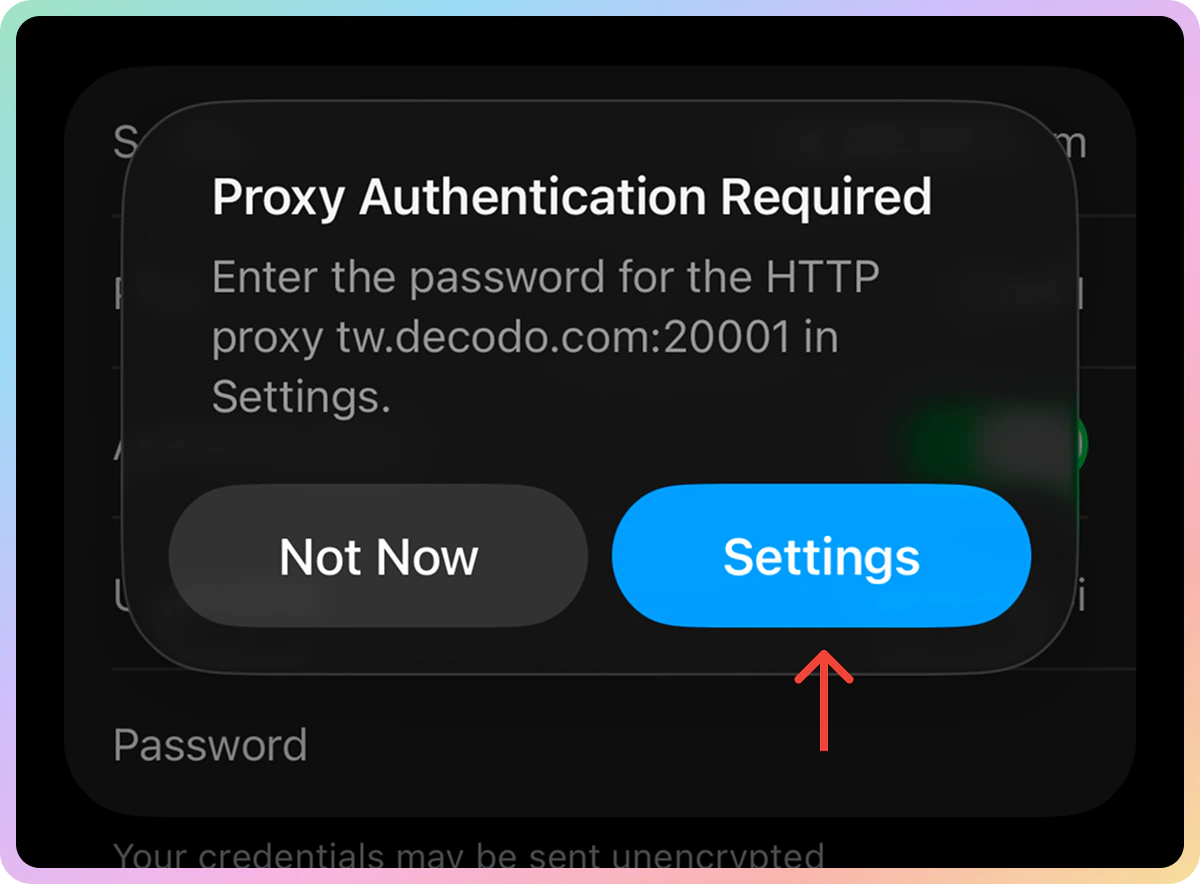
Verify the Connection
- Open a browser and visit ip.decodo.com. If successful, your IP address will display the location of the proxy.
Disable the Proxy
To disable the proxy, just tap Off in the Configure Proxy section and then tap Save again.Common Issues
Blocklist
⚠️ Please be aware that we restrict access to some websites.Direct IP
Direct IP Parameter Support
Direct IP Parameter Support
If you buy an IP list, you can specify which IPs to connect to using the direct
ip parameter in the proxy username: user-username-ip-x.x.x.x- Supported products: DC Pay/IP, Dedicated DC, ISP Pay/IP, Dedicated ISP plans.
- Products that offer access to the full proxy pool, such as residential proxies, do not support this parameter.
IP:PORT Format
IP:PORT Format
- Decodo proxies don’t support an
IP:PORTformat by default. - You must use the endpoint rotator format (e.g.,
us.decodo.com:10101). - If necessary, try the workaround here, but it only works temporarily before requiring another setup update.
Troubleshooting
If you experience any other issues, check out our main troubleshooting section.Support
Need help or just want to say hello? Our support is available 24/7.
You can also reach us anytime via email at support@decodo.com.
You can also reach us anytime via email at support@decodo.com.
Feedback
Can’t find what you’re looking for? Request an article!
Have feedback? Share your thoughts on how we can improve.
Have feedback? Share your thoughts on how we can improve.